
2.0211.2 MB
LGPL-2.1+
strict
core18
AniTuner lets you create, edit and convert Windows animated cursors ani files.
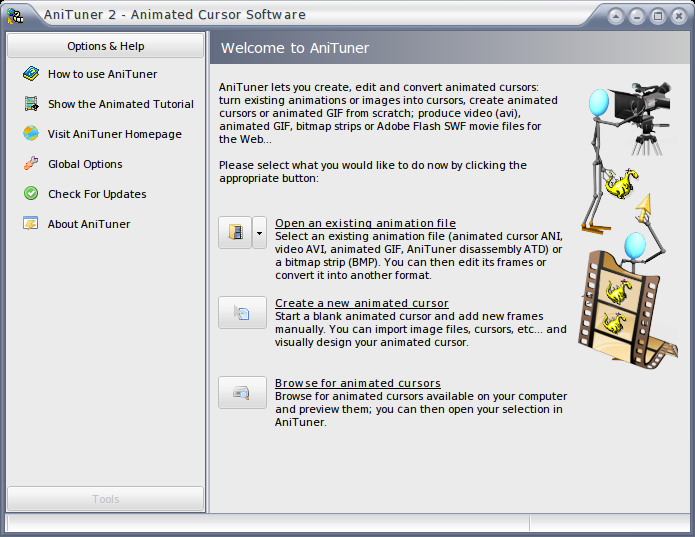

Features
* add, edit, move, copy, paste and remove frames, change their timing; modify them in your own favorite external image editor and then save changes back to the animated cursor in some clicks.
* Reverse order of frames in one click.
* Perform operations and transformations on frames: horizontal and vertical flips, left and right rotations, custom rotations, image merging.
* add mouse pointers to existing images in some clicks thanks to the image merging feature.
* AniTuner handles all color reductions and resize operations itself, while taking care of transparency or alpha channels.
* AniTuner can correctly draw 32-bit animated cursors even if your Windows version doesn't support it.
* AniTuner shows live animated cursors while editing: any change is immediately visible.
* Test animated cursors by replacing the default mouse pointer during a short delay with your edited cursor.
* Edit the title and author of the animated cursor (art information).
* Modify the hotspot of the animated cursor.
* Drag and drop support for animated cursors and frames.
* AniTuner always optimizes animated cursors when saving them (identical frames will be saved only once).
Support me: https://bit.ly/2XkT2bl
* add, edit, move, copy, paste and remove frames, change their timing; modify them in your own favorite external image editor and then save changes back to the animated cursor in some clicks.
* Reverse order of frames in one click.
* Perform operations and transformations on frames: horizontal and vertical flips, left and right rotations, custom rotations, image merging.
* add mouse pointers to existing images in some clicks thanks to the image merging feature.
* AniTuner handles all color reductions and resize operations itself, while taking care of transparency or alpha channels.
* AniTuner can correctly draw 32-bit animated cursors even if your Windows version doesn't support it.
* AniTuner shows live animated cursors while editing: any change is immediately visible.
* Test animated cursors by replacing the default mouse pointer during a short delay with your edited cursor.
* Edit the title and author of the animated cursor (art information).
* Modify the hotspot of the animated cursor.
* Drag and drop support for animated cursors and frames.
* AniTuner always optimizes animated cursors when saving them (identical frames will be saved only once).
Support me: https://bit.ly/2XkT2bl
Update History
2.0 (21)13 Dec 2025, 09:47 UTC
27 Aug 2018, 13:44 UTC
4 Dec 2020, 15:23 UTC
13 Dec 2025, 09:47 UTC