
2.130.6 MB
MIT
strict
core18
Color Picker and Converter

ColorPie is a professional color management utility written in Qt.
Features
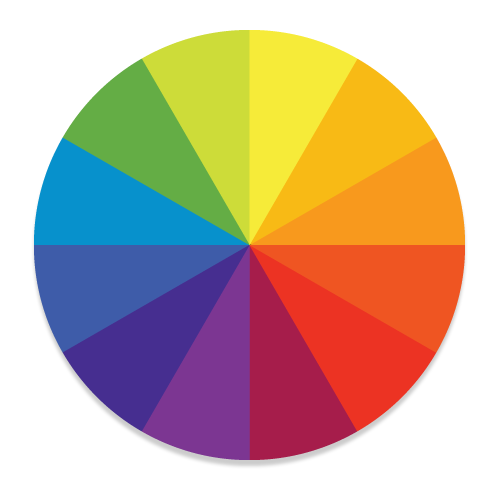
- Interactive Color Wheel — Pick any color visually using a smooth, full-featured color wheel with hue, saturation, and lightness controls.
- Wide Format Support — Enter or view colors in 18+ formats including HEX, RGB, RGBA, HSL, HSV, CMYK, LAB, XYZ, YUV, Grayscale, HTML named colors, Pantone, RAL, and more.
- Screen Color Picker — Grab a color from anywhere on your screen with a single click. Works on both X11 and Wayland desktops.
- Live Color Preview — See real-time conversions across all supported color systems as you select or type a color.
- Saved Color Swatches — Build a personal palette by saving colors. Click any saved swatch to instantly load it back.
- Clipboard Copy — Copy the current color's hex value to your clipboard in one keystroke.
- Flexible Layout — Resize the panel between the color picker and the preview area to suit your workflow.
- Keyboard Shortcuts — Control everything without touching the mouse:
-
-
-
-
- Remembers Your Session — Window size, panel layout, and saved colors are all restored exactly as you left them.
Features
- Interactive Color Wheel — Pick any color visually using a smooth, full-featured color wheel with hue, saturation, and lightness controls.
- Wide Format Support — Enter or view colors in 18+ formats including HEX, RGB, RGBA, HSL, HSV, CMYK, LAB, XYZ, YUV, Grayscale, HTML named colors, Pantone, RAL, and more.
- Screen Color Picker — Grab a color from anywhere on your screen with a single click. Works on both X11 and Wayland desktops.
- Live Color Preview — See real-time conversions across all supported color systems as you select or type a color.
- Saved Color Swatches — Build a personal palette by saving colors. Click any saved swatch to instantly load it back.
- Clipboard Copy — Copy the current color's hex value to your clipboard in one keystroke.
- Flexible Layout — Resize the panel between the color picker and the preview area to suit your workflow.
- Keyboard Shortcuts — Control everything without touching the mouse:
-
Ctrl+P — Pick a color from the screen-
Ctrl+D — Save the current color to your palette-
Ctrl+Shift+C — Copy the current color to the clipboard-
Ctrl+L — Jump to the color input field- Remembers Your Session — Window size, panel layout, and saved colors are all restored exactly as you left them.
Update History
1 (2) → 2.1 (3)31 Jul 2026, 02:00 UTC
1 (2)13 Dec 2025, 09:47 UTC
13 Oct 2020, 16:24 UTC
30 Jul 2026, 18:05 UTC
13 Dec 2025, 09:47 UTC