
2.0.4snap1158.9 MB
MIT
strict
core24
Run the Frogtab task manager on localhost


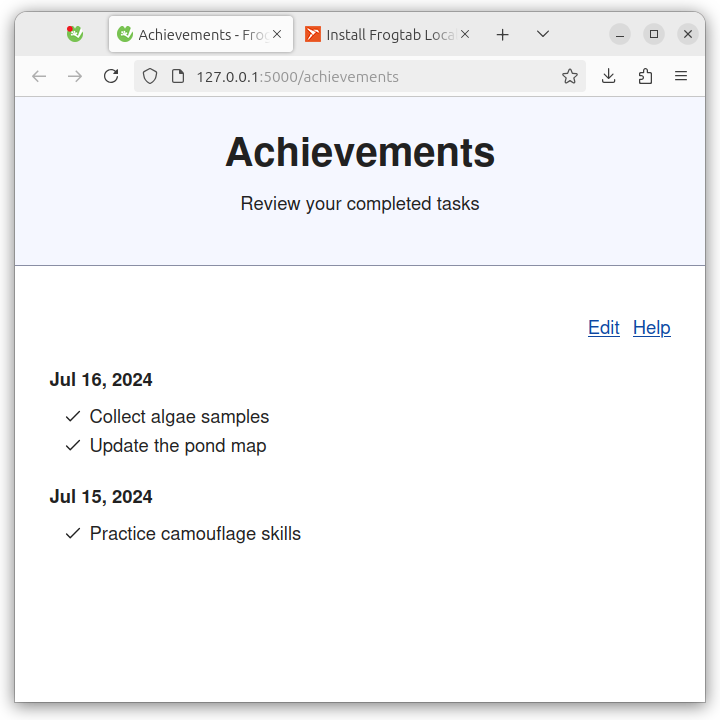
Frogtab Local is a version of https://frogtab.com that you can run on your computer. With Frogab Local, you can:
* Use Frogtab offline
* Automatically back up your data in any browser
* Send tasks to Frogtab via a terminal
Starting Frogtab Local
To start Frogtab Local, run the following command:
Frogtab Local starts:
If you see the error "a different app is using port 5000", you'll need to use a different port. In this case, run the following commands:
As you use Frogtab, your data is automatically backed up by Frogtab Local. To find the location of the backup file, run
Sending tasks to Frogtab
To send a task to Frogtab:
1. Run
2. Type the task, then press Enter.
Command reference
Here's the output of
Release notes
https://github.com/dwilding/frogtab/releases
License
Frogtab Local is licensed under the MIT License.
Frogtab Local uses OpenPGP.js for PGP encryption. The source code of OpenPGP.js is available at https://github.com/openpgpjs/openpgpjs. OpenPGP.js is licensed under the GNU Lesser General Public License.
* Use Frogtab offline
* Automatically back up your data in any browser
* Send tasks to Frogtab via a terminal
Starting Frogtab Local
To start Frogtab Local, run the following command:
frogtab startFrogtab Local starts:
✓ Started Frogtab LocalTo access Frogtab, open http://localhost:5000 in your browserIf you see the error "a different app is using port 5000", you'll need to use a different port. In this case, run the following commands:
frogtab set port 5001 # For examplefrogtab startAs you use Frogtab, your data is automatically backed up by Frogtab Local. To find the location of the backup file, run
frogtab find-backup. To learn more, run frogtab help or see the command reference below.Sending tasks to Frogtab
To send a task to Frogtab:
1. Run
frogtab.2. Type the task, then press Enter.
Command reference
Here's the output of
frogtab help:Frogtab Local enables you to run the Frogtab task manager on localhost.Use 'frogtab' to manage Frogtab Local and send tasks to Frogtab.Usage: frogtab Send a task to Frogtab, starting Frogtab Local if needed frogtab start Start Frogtab Local frogtab stop Stop Frogtab Local frogtab status Check whether Frogtab Local is running frogtab find-backup Display the full location of the Frogtab backup fileDisplay/change settings: frogtab get <setting> frogtab set <setting> <value>Available settings: port Port that Frogtab Local runs on (default: 5000) expose yes/no Allow access to Frogtab Local on all network interfaces (default: no) backup-file Location of the Frogtab backup file (default: Frogtabbackup.json in ~/snap/frogtab/common) registration-server Server that Frogtab uses if you register this device (default: https://frogtab.com/)Additional commands: frogtab help Display a summary of how to use 'frogtab' frogtab --version Display the version of Frogtab Local that is installedEnvironment variables: FROGTABCONFIGFILE If set, specifies where Frogtab Local stores settings and internal state. If not set, Frogtab Local uses Frogtabconfig.json in ~/snap/frogtab/common. NO_COLOR=1 If set, 'frogtab' doesn't display any colored text.Release notes
https://github.com/dwilding/frogtab/releases
License
Frogtab Local is licensed under the MIT License.
Frogtab Local uses OpenPGP.js for PGP encryption. The source code of OpenPGP.js is available at https://github.com/openpgpjs/openpgpjs. OpenPGP.js is licensed under the GNU Lesser General Public License.
Update History
2.0.4snap1 (15)13 Dec 2025, 09:47 UTC
16 Jul 2024, 03:08 UTC
29 May 2025, 13:38 UTC
13 Dec 2025, 09:47 UTC