
2026.10.12610.5 MB
MIT
strict
core18
Lightweight CPU and RAM usage monitor with internet speed
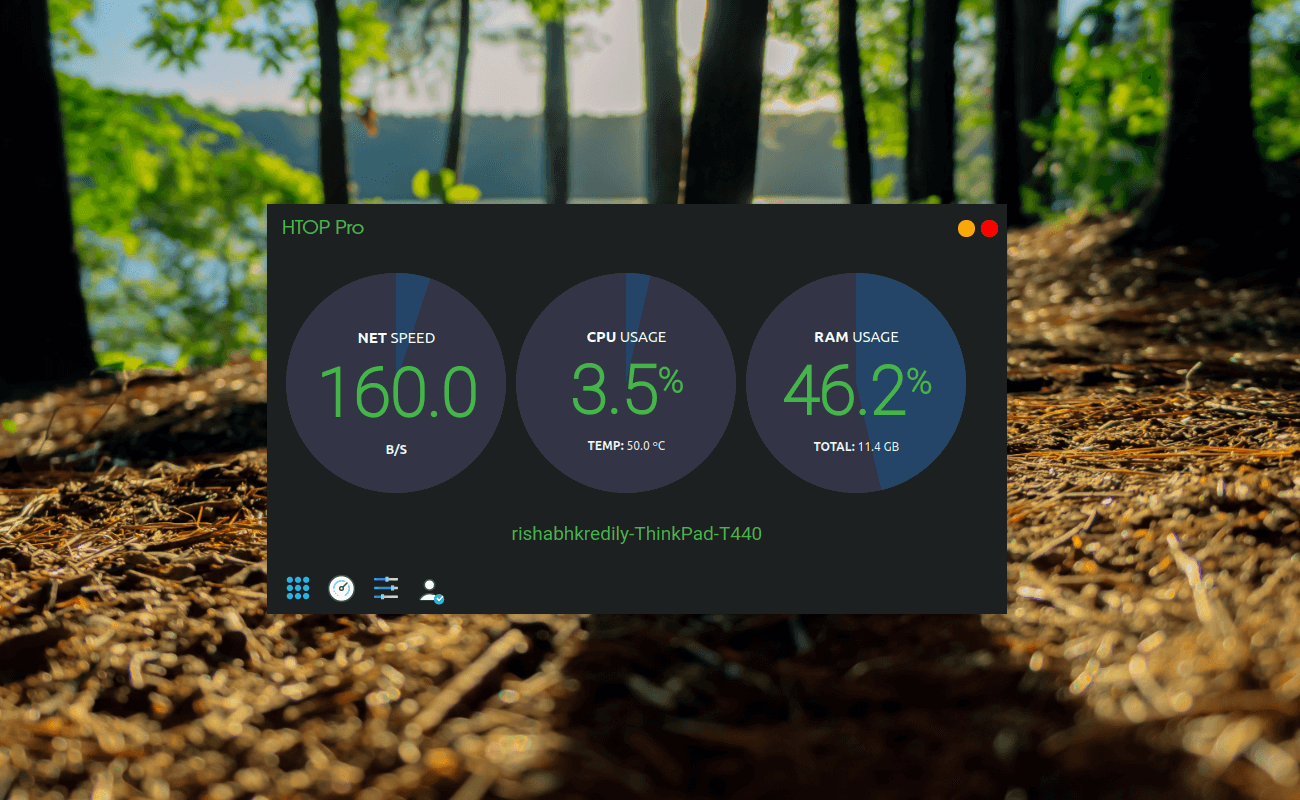
ABOUT APPLICATION :
Monitor your computer's CPU and RAM usage in real time with a fast and lightweight desktop application designed for Linux.
Track processor utilization, memory consumption and overall system performance through beautiful live graphs and an intuitive interface. The application is optimized to use minimal system resources while providing accurate performance statistics.
Features:
NOTE
If CPU Temp is not Coming/not accurate in the System Monitor, then run below command in your Terminal/Shell.
KEYWORDS:
System monitor, Linux system monitor, CPU monitor, RAM monitor, memory monitor, internet speed monitor, network monitor, bandwidth monitor, CPU usage, RAM usage, performance monitor, resource monitor, Ubuntu system monitor, Linux desktop utility, real-time system monitor, live CPU graphs, live RAM graphs, upload speed monitor, download speed monitor, lightweight system monitor
-------------------------------------------------------------------------------------------------------
Monitor your computer's CPU and RAM usage in real time with a fast and lightweight desktop application designed for Linux.
Track processor utilization, memory consumption and overall system performance through beautiful live graphs and an intuitive interface. The application is optimized to use minimal system resources while providing accurate performance statistics.
Features:
- Real-time CPU usage monitoring
- Live RAM and memory usage statistics
- Interactive performance graphs
- Low CPU and memory overhead
- Lightweight and responsive interface
- Instant system resource monitoring
- Internet upload and download speed meter
- Live CPU, disk and internet speed in the system tray / top bar, next to the clock
- Keeps running in the tray when the window is closed
- Designed for Linux desktops
NOTE
If CPU Temp is not Coming/not accurate in the System Monitor, then run below command in your Terminal/Shell.
sudo snap connect htop-pro:hardware-observeKEYWORDS:
System monitor, Linux system monitor, CPU monitor, RAM monitor, memory monitor, internet speed monitor, network monitor, bandwidth monitor, CPU usage, RAM usage, performance monitor, resource monitor, Ubuntu system monitor, Linux desktop utility, real-time system monitor, live CPU graphs, live RAM graphs, upload speed monitor, download speed monitor, lightweight system monitor
-------------------------------------------------------------------------------------------------------
Update History
2026.7.2 (22) → 2026.10.1 (26)19 Oct 2026, 07:45 UTC
2026.7.2 21 → 222 Jul 2026, 08:15 UTC
2024.1.2 (20) → 2026.7.2 (21)2 Jul 2026, 06:45 UTC
2024.1.2 (20)13 Dec 2025, 09:47 UTC
11 Jun 2021, 17:23 UTC
19 Oct 2026, 07:34 UTC
13 Dec 2025, 09:47 UTC