2026.10.13658.0 MB
MIT
strict
core18
Convert Your Images Into PDF With Standard Encryption, Supports JPG, JPEG, PNG, BMP, PNG, BMP, SVG, TIFF Etc Images Format
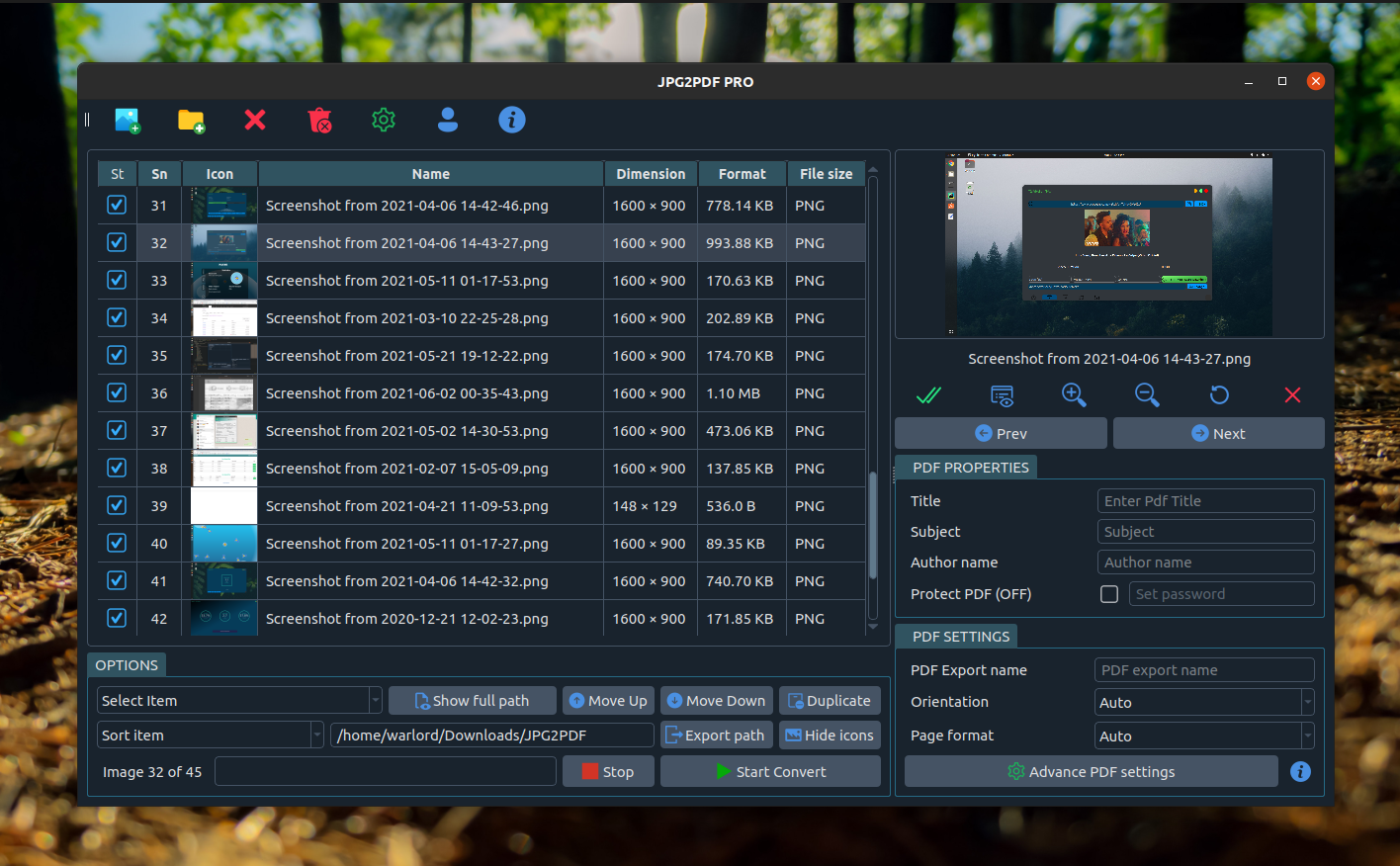
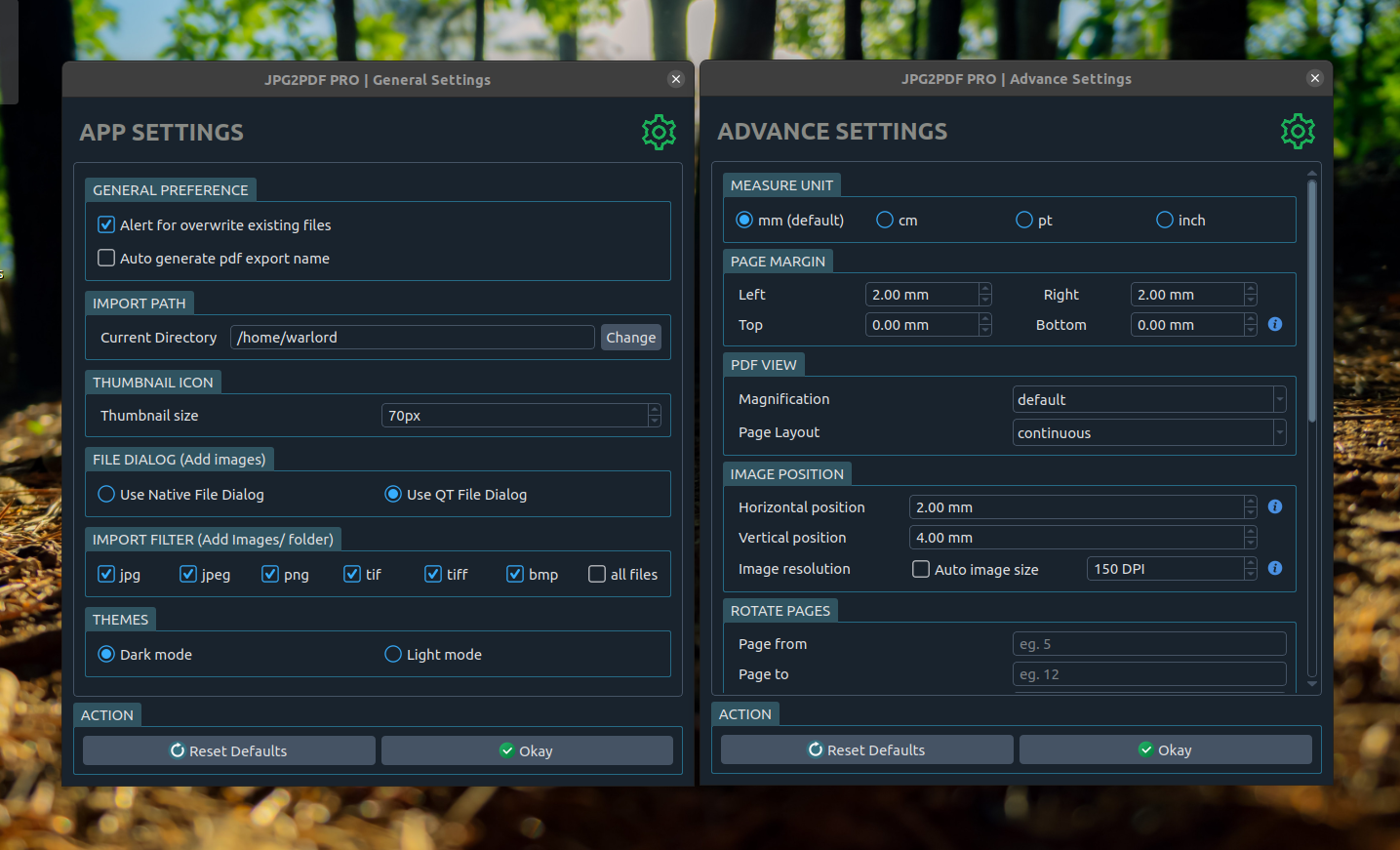
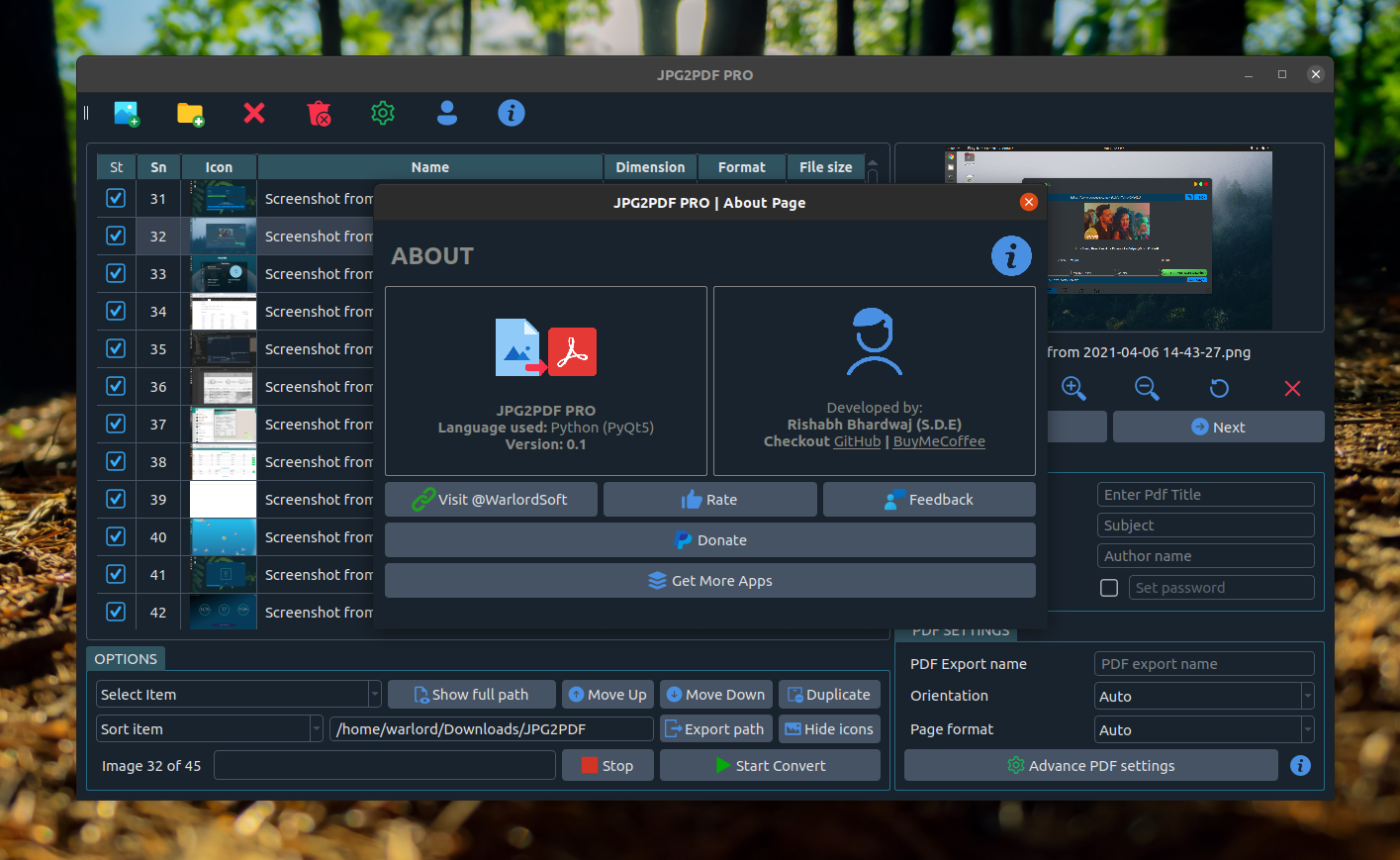
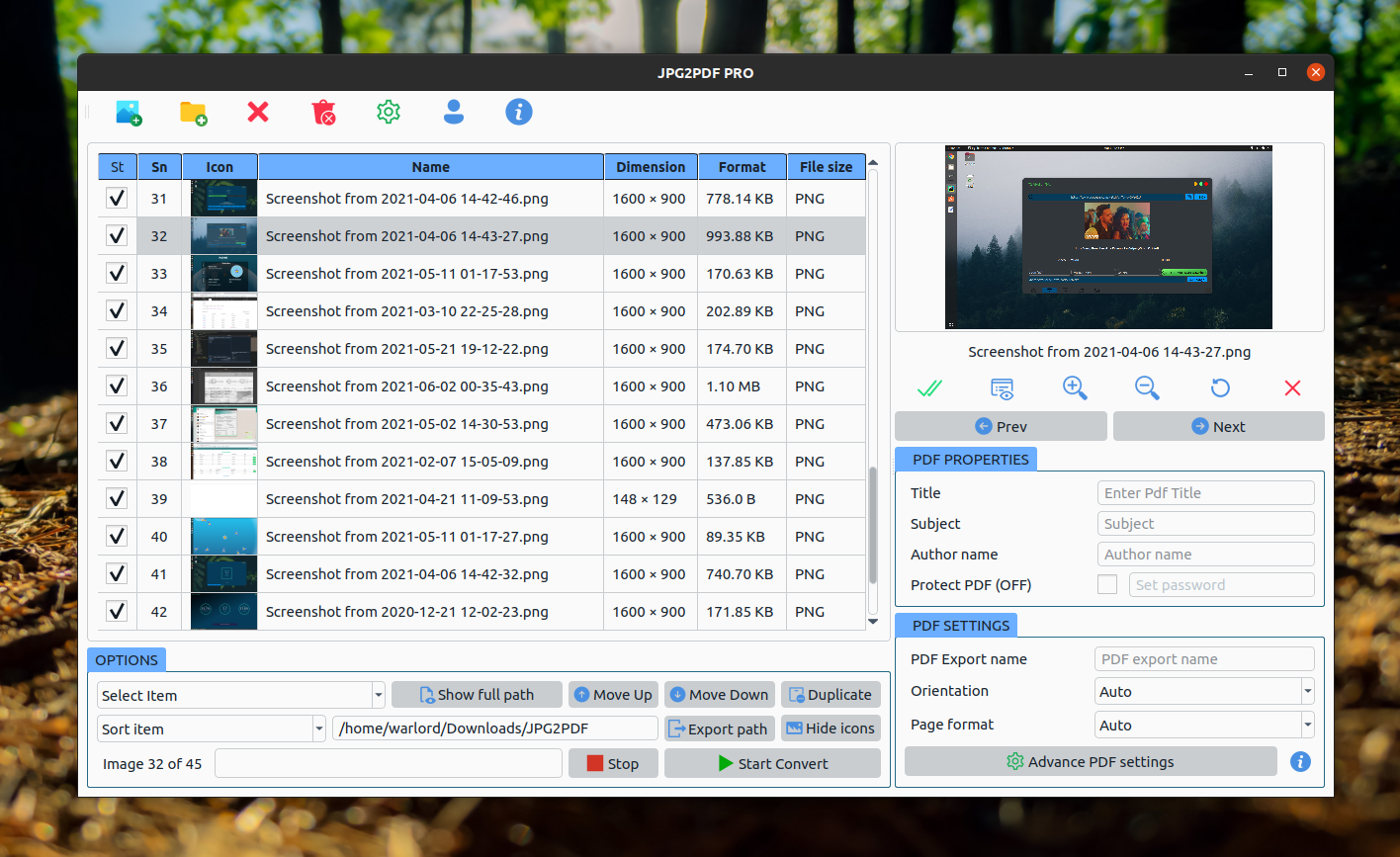
ABOUT APPLICATION :
JPEG2PDF Convert Your Images Into PDFs and Supports JPG, JPEG, PNG, BMP, PNG, BMP, SVG, TIFF Etc Images Format, Also you can Encrypt your PDF files with AES-256 bit Encryption.
*Update: Drag drop files feature is added in the app.*
FEATURES :
- Batch convert ? turn a whole folder of images into PDFs in one click.
- One PDF or many ? merge every image into a single document, or export one PDF per image.
- Sort and reorder ? sort by name, date modified, file size or date taken, drag images into any order, or move them to the top or bottom.
- Ticked automatically ? new images are ready to convert; click the ? column header to tick or untick all.
- Page sizes ? A4, A3, A5, Letter, Legal or any custom size, with automatic orientation.
- Several images per page ? 2, 4, 6 or 9 per page, great for receipts and ID cards.
- Margins and positioning ? set page margins and image placement in mm, cm, pt or inches.
- Custom DPI ? pick the image resolution that suits print or screen.
- Rotate and crop ? fix single images (only the PDF changes, never your files), or rotate a page range.
- Clean up scans ? straighten tilted pages, cut off dark borders and make text clearer.
- Smaller PDFs ? compress images, split into several PDFs, or add images to an existing PDF.
- One PDF per image ? keeps each file's name (photo.tif ? photo.pdf), including multi-page TIFFs.
- Searchable PDFs ? OCR makes the text searchable and copyable (snap).
- Grayscale and black-and-white output.
- Page numbering with configurable fonts and styles.
- AES-256 encryption ? password-protect the resulting PDF.
- PDF metadata ? set title, subject and author.
- Drag and drop images straight into the window.
- Live preview with zoom before you export.
- Presets, preview and undo ? save favourite settings, preview the PDF before saving, undo list changes (Ctrl+Z).
- Save anywhere ? any folder, including USB drives; folders can be imported with their subfolders.
- Built-in help and shortcuts (F1), adjustable text size, dark and light themes.
- Fully offline ? no upload, no file-size limit, no watermark, no ads.
NOTE #1
Give Permission to removable-media interface and optical-drive interface
Run below command in your Terminal/Shell.
KEYWORDS:
*smallpdf, ilovepdf, freepdfconverter, toolpdf24, adobepdf, jpg2pdf, jpgtopdf, imagetopdf, image2pdf, sejda, pdfonline, sodapdf, pdf2go, itextpdf, image converter, convert jpg to pdf, pspdfkit, pdftools, avepdf, foxit, wondershare, pdfresizer, img2go, img2pdf, online2pdf, bigpdf, pdfelement, nitro, jpg2pdf linux, pdf2go, photo to pdf, image to pdf, jpg to pdf, png to pdf, pic to pdf*
-------------------------------------------------------------------------------------------------------
JPEG2PDF Convert Your Images Into PDFs and Supports JPG, JPEG, PNG, BMP, PNG, BMP, SVG, TIFF Etc Images Format, Also you can Encrypt your PDF files with AES-256 bit Encryption.
*Update: Drag drop files feature is added in the app.*
FEATURES :
- Batch convert ? turn a whole folder of images into PDFs in one click.
- One PDF or many ? merge every image into a single document, or export one PDF per image.
- Sort and reorder ? sort by name, date modified, file size or date taken, drag images into any order, or move them to the top or bottom.
- Ticked automatically ? new images are ready to convert; click the ? column header to tick or untick all.
- Page sizes ? A4, A3, A5, Letter, Legal or any custom size, with automatic orientation.
- Several images per page ? 2, 4, 6 or 9 per page, great for receipts and ID cards.
- Margins and positioning ? set page margins and image placement in mm, cm, pt or inches.
- Custom DPI ? pick the image resolution that suits print or screen.
- Rotate and crop ? fix single images (only the PDF changes, never your files), or rotate a page range.
- Clean up scans ? straighten tilted pages, cut off dark borders and make text clearer.
- Smaller PDFs ? compress images, split into several PDFs, or add images to an existing PDF.
- One PDF per image ? keeps each file's name (photo.tif ? photo.pdf), including multi-page TIFFs.
- Searchable PDFs ? OCR makes the text searchable and copyable (snap).
- Grayscale and black-and-white output.
- Page numbering with configurable fonts and styles.
- AES-256 encryption ? password-protect the resulting PDF.
- PDF metadata ? set title, subject and author.
- Drag and drop images straight into the window.
- Live preview with zoom before you export.
- Presets, preview and undo ? save favourite settings, preview the PDF before saving, undo list changes (Ctrl+Z).
- Save anywhere ? any folder, including USB drives; folders can be imported with their subfolders.
- Built-in help and shortcuts (F1), adjustable text size, dark and light themes.
- Fully offline ? no upload, no file-size limit, no watermark, no ads.
NOTE #1
Give Permission to removable-media interface and optical-drive interface
Run below command in your Terminal/Shell.
sudo snap connect jpg2pdf:removable-media sudo snap connect jpg2pdf:optical-driveKEYWORDS:
*smallpdf, ilovepdf, freepdfconverter, toolpdf24, adobepdf, jpg2pdf, jpgtopdf, imagetopdf, image2pdf, sejda, pdfonline, sodapdf, pdf2go, itextpdf, image converter, convert jpg to pdf, pspdfkit, pdftools, avepdf, foxit, wondershare, pdfresizer, img2go, img2pdf, online2pdf, bigpdf, pdfelement, nitro, jpg2pdf linux, pdf2go, photo to pdf, image to pdf, jpg to pdf, png to pdf, pic to pdf*
-------------------------------------------------------------------------------------------------------
Update History
2026.7.2 (33) → 2026.10.1 (36)14 Oct 2026, 12:15 UTC
2024.1.2 (31) → 2026.7.2 (33)2 Jul 2026, 05:15 UTC
2024.1.2 (31)13 Dec 2025, 09:47 UTC
19 Jun 2021, 21:08 UTC
14 Oct 2026, 09:46 UTC
13 Dec 2025, 09:47 UTC