1.0.0511.1 MB
GPL-3.0
strict
core22
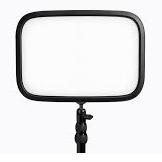
cli tool for Elgato KeyLight
Unofficial cli tool for Elgato KeyLight. Uses avahi to find the light. Set brightness and color temperature.
It assumes there is only one such light (at this stage).
If any parameter is skipped, the last saved value will be used. Settings are saved. In a future release, you will be able to provide a named profile to use saved settings.
options:
usage: keylight-control [-h] [--bright BRIGHT] [--temp TEMP] [--ip IP]--bright 0 turns the light off. In this case, settings are not saved (so that keylight-control with no parameters simply restores the last settings)--ip auto uses avahi to find the IP address. Once found, it will be saved, so if the IP address is static, it's faster to subsequently omit --ipIt assumes there is only one such light (at this stage).
If any parameter is skipped, the last saved value will be used. Settings are saved. In a future release, you will be able to provide a named profile to use saved settings.
options:
-h, --help show this help message and exit --bright BRIGHT set brightness, 0 to 100. 0 will turn light off --temp TEMP set color K. Range is 2900K to 7000K --ip IP Use auto to find it with avahi aka zeroconf. # Credit to https://github.com/adamesch/elgato-key-light-api for work done in documenting the REST-style API.Update History
1.0.0 (5)13 Dec 2025, 09:47 UTC
9 Oct 2023, 05:33 UTC
9 Oct 2023, 22:00 UTC
13 Dec 2025, 09:47 UTC