
1.1.61686.0 MB
MIT
strict
core20
Clipboard history, pinning, images, and a Windows-style emoji & symbol picker.
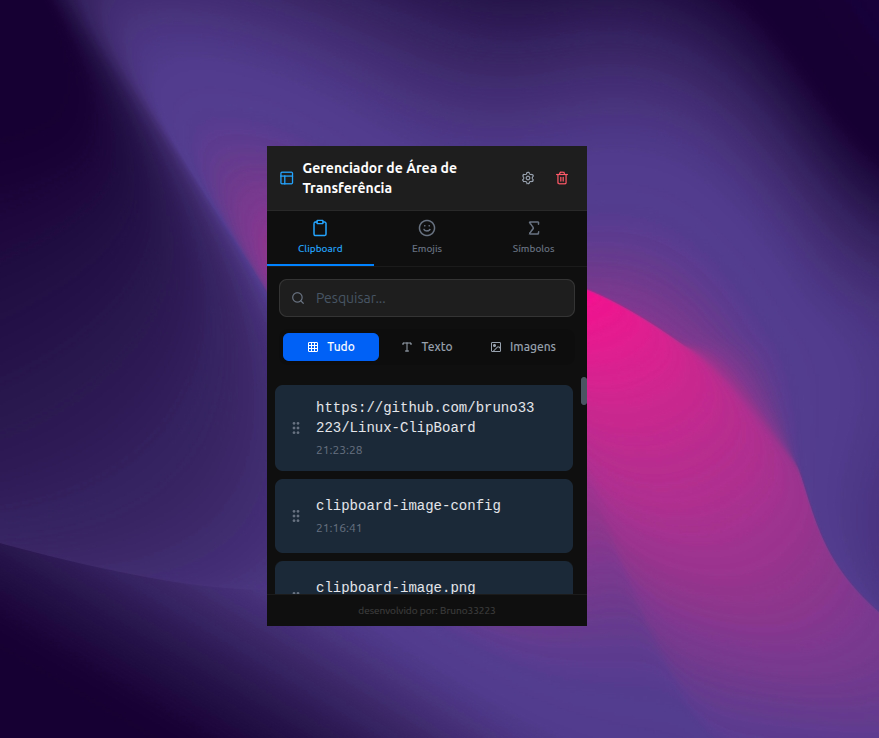


inux Clipboard is a powerful productivity tool designed to enhance your copy-paste workflow on Linux. Unlike standard clipboard managers, this application provides a rich visual history for both text and images, plus a dedicated picker for special characters.
It operates as a non-intrusive floating window that appears instantly near your cursor or at a fixed position, allowing you to paste items without losing focus on your current task.
Key Features:
- Visual History: View previews of copied images and text snippets instantly.
- Emoji & Symbol Picker: Built-in tool to easily insert emojis and symbols, similar to the Windows feature (Win + .).
- Pin Favorites: Keep frequently used items permanently at the top of your list.
- Smart Window: Opens as a floating dialog that doesn't clutter your taskbar.
- Drag & Drop: Easily reorder your clipboard history.
- Search: Quickly find specific text clips within your history.
- Customizable: Includes both Dark and Light themes to match your desktop environment.
It operates as a non-intrusive floating window that appears instantly near your cursor or at a fixed position, allowing you to paste items without losing focus on your current task.
Key Features:
- Visual History: View previews of copied images and text snippets instantly.
- Emoji & Symbol Picker: Built-in tool to easily insert emojis and symbols, similar to the Windows feature (Win + .).
- Pin Favorites: Keep frequently used items permanently at the top of your list.
- Smart Window: Opens as a floating dialog that doesn't clutter your taskbar.
- Drag & Drop: Easily reorder your clipboard history.
- Search: Quickly find specific text clips within your history.
- Customizable: Includes both Dark and Light themes to match your desktop environment.
Update History
1.1.5 (14) → 1.1.6 (16)13 Sept 2026, 05:30 UTC
1.1.4 (13) → 1.1.5 (14)13 Sept 2026, 02:30 UTC
1.1.4 12 → 1312 Sept 2026, 18:15 UTC
1.1.3 (11) → 1.1.4 (12)12 Sept 2026, 17:45 UTC
1.1.3 10 → 1112 Sept 2026, 04:00 UTC
1.1.2 (9) → 1.1.3 (10)12 Sept 2026, 00:15 UTC
1.1.2 5 → 911 Sept 2026, 02:00 UTC
1.0.0 (2) → 1.1.2 (5)10 Sept 2026, 00:00 UTC
1.0.0 (2)13 Dec 2025, 09:47 UTC
8 Dec 2025, 23:34 UTC
13 Sept 2026, 04:57 UTC
13 Dec 2025, 09:47 UTC