

1.4.028812.9 MB
BSD-2-Clause
strict
core22
Cross-platform ncurses Spotify client written in Rust

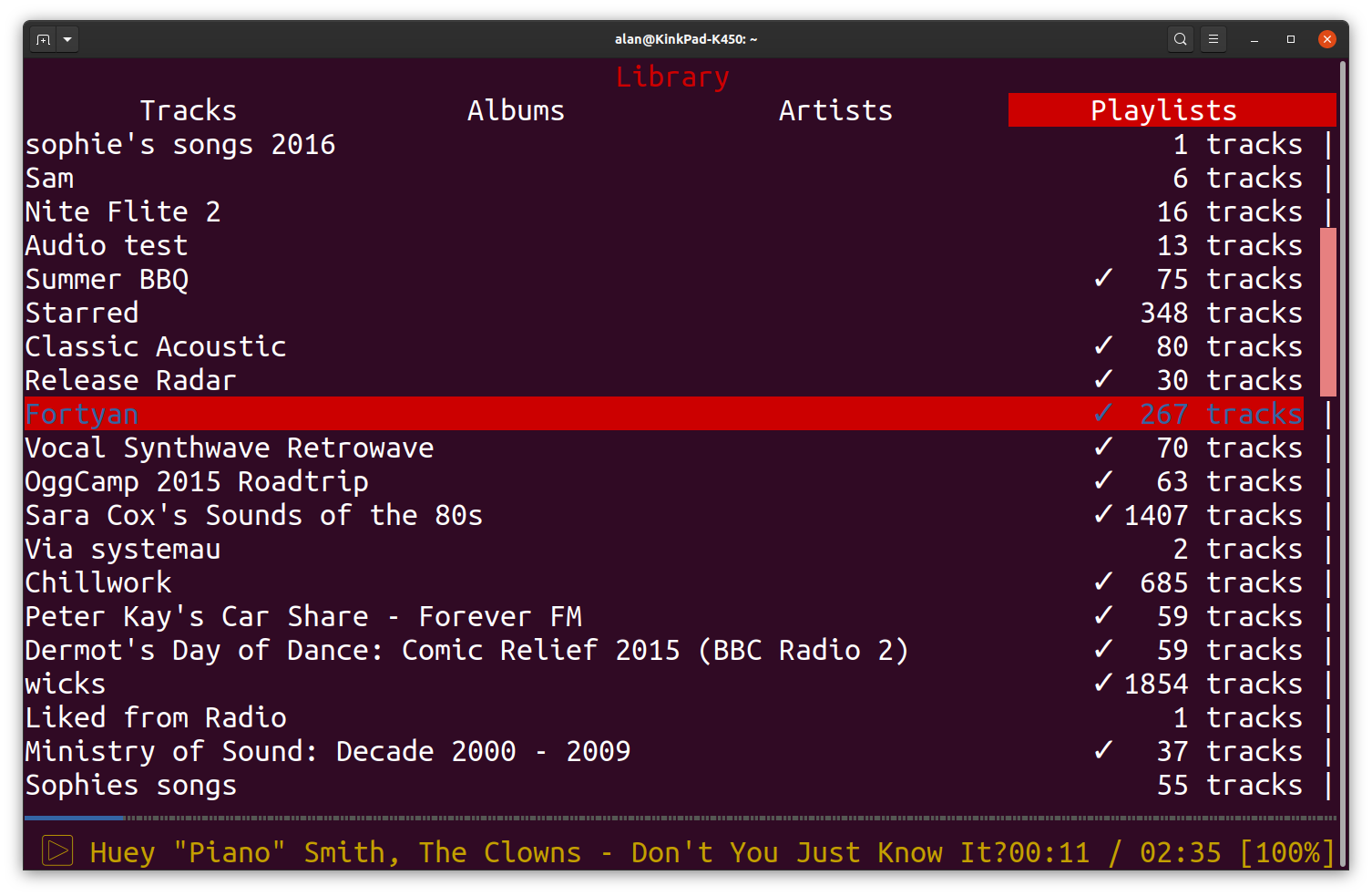
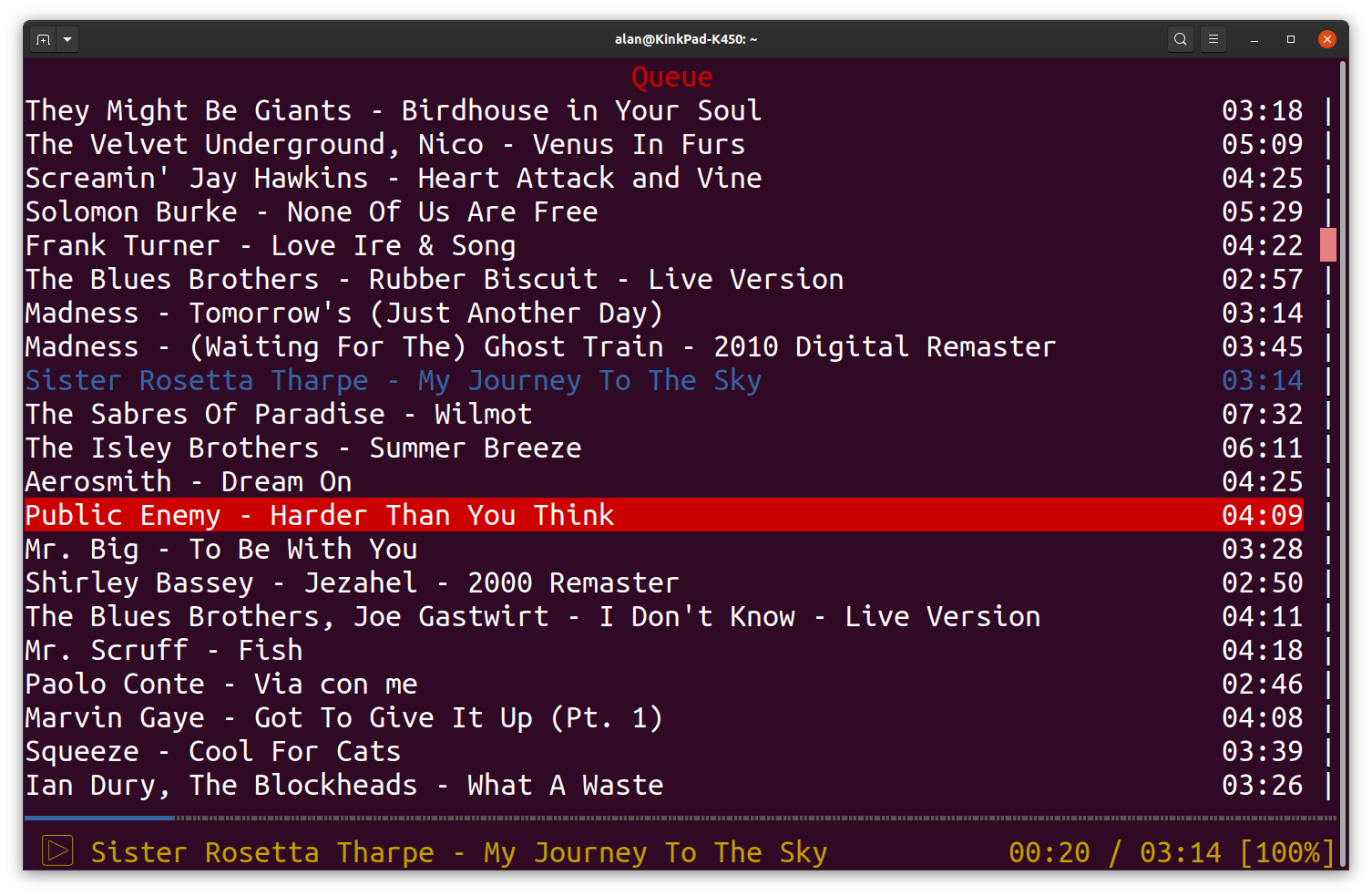

ncurses Spotify client written in Rust using librespot. It is heavily inspired by ncurses MPD clients, such as ncmpc. My motivation was to provide a simple and resource friendly alternative to the official client as well as to support platforms that currently don't have a Spotify client, such as the *BSDs.
Key Bindings
These keybindings are hardcoded for now. In the future it may be desirable to
have them configurable.
*
*
You can also open a Vim style commandprompt using
are supported:
The screens can be opened with
the search view.
Configuration
Configuration is saved to
Keybindings can be configured in
See the help screen by pressing
ncspot will respect system proxy settings defined via the
Unofficial snap published with ♥ by Alan Pope, Dustin Krysak and Martin Wimpress.
Snapcraft yaml can be found at https://github.com/popey/ncspot-snap
Built from the upstream source at https://github.com/hrkfdn/ncspot
Key Bindings
These keybindings are hardcoded for now. In the future it may be desirable to
have them configurable.
?show help screen- Navigate through the screens using the F-keys:
F1: Queue
* c clears the entire queue * d deletes the currently selected track * Ctrl-s opens a dialog to save the queue to a playlist*
F2: Search*
F3: Library
* d deletes the currently selected playlist- Tracks and playlists can be played using
Returnand queued usingSpace swill save,dwill remove the currently selected track to/from your
owill open a detail view or context menu for the selected itemShift-owill open a context menu for the currently playing trackawill open the album view for the selected itemAwill open the artist view for the selected itemBackspacecloses the current viewShift-ptoggles playback of a trackShift-sstops a trackShift-uupdates the library cache (tracks, artists, albums, playlists)<and>play the previous or next trackfandbto seek forward or backwardShift-fandShift-bto seek forward or backward in steps of 10s-and+decrease or increase the volumerto toggle repeat modezto toggle shuffle playbackqquits ncspotxcopies a sharable URL of the song to the system clipboardShift-xcopies a sharable URL of the currently selected item to the system clipboard
You can also open a Vim style commandprompt using
:, the following commandsare supported:
quit: Quit ncspottoggle: Toggle playbackstop: Stop playbackprevious/next: Play previous/next trackclear: Clear playlistshare [current | selected]: Copies a sharable URL of either the selected item or the currernt song to the system clipboard
The screens can be opened with
queue, search, playlists and log, whereas
search can be supplied with a search term that will be entered after openingthe search view.
Configuration
Configuration is saved to
~/snap/ncspot/current/.config/ncspot/config.toml. Possible configuration values are:usenerdfont: Turn nerdfont glyphs on/off <true/false>theme: Set a custom color palette (see below)
Keybindings can be configured in
[keybindings] section in config.toml, e.g. as such: [keybindings] "Shift+i" = "seek +10000"See the help screen by pressing
? for a list of possible commands.ncspot will respect system proxy settings defined via the
httpproxy environment variable.Unofficial snap published with ♥ by Alan Pope, Dustin Krysak and Martin Wimpress.
Snapcraft yaml can be found at https://github.com/popey/ncspot-snap
Built from the upstream source at https://github.com/hrkfdn/ncspot
Update History
1.3.4 (284) → 1.4.0 (288)23 Aug 2026, 20:15 UTC
1.3.3 (276) → 1.3.4 (284)26 May 2026, 07:45 UTC
1.3.2 (273) → 1.3.3 (276)11 Feb 2026, 15:25 UTC
1.3.2 (273)13 Dec 2025, 09:47 UTC
12 Feb 2020, 18:14 UTC
21 Aug 2026, 22:11 UTC
13 Dec 2025, 09:47 UTC