
20.09.0719.4 MB
MIT
strict
core18
Scraterpreter is an interpreter that runs .sb3 (Scratch) projects.
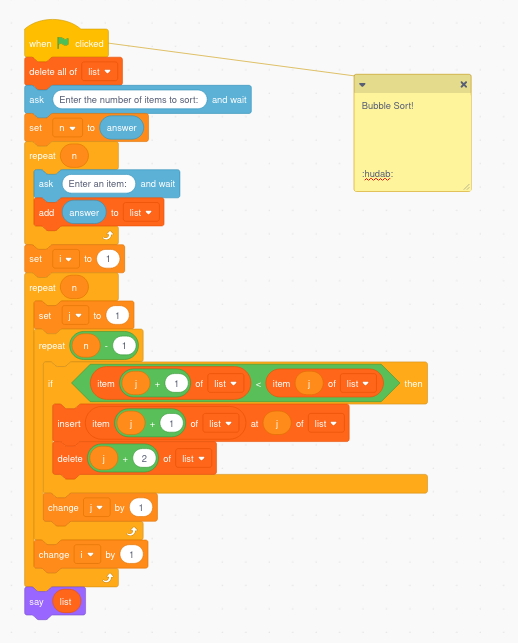

Scraterpreter is an interpreter that runs Scratch projects.
Use Scrapec to compile .sb3 (Scratch Project) files to .scrape files, then use Scrape to run .scrape files.
Some use-cases for Scraterpreter:
For more information, visit https://github.com/scraterpreter/scrape.
------------------------
For anyone who's having trouble running this application, this is a command-line application, NOT a graphical application. Sorry for not making that clear on this Snap listing. You can find detailed usage instructions on the GitHub page (https://github.com/scraterpreter/scrape).
Before you can run a Scratch project using the commands described in the next section, you have to add the following lines to your shell's startup script file (e.g. ~/.bashrc if you're using bash):
Now, to run a Scratch project, first use scrapec to compile your project into a .scrape file, then use scrape to run the .scrape file:
Use Scrapec to compile .sb3 (Scratch Project) files to .scrape files, then use Scrape to run .scrape files.
Some use-cases for Scraterpreter:
- Running projects at ridiculous speeds.
- Providing a simple way to prototype command line programs.
- Allowing online judges (programming competitions) to accept Scratch programs.
For more information, visit https://github.com/scraterpreter/scrape.
------------------------
For anyone who's having trouble running this application, this is a command-line application, NOT a graphical application. Sorry for not making that clear on this Snap listing. You can find detailed usage instructions on the GitHub page (https://github.com/scraterpreter/scrape).
Before you can run a Scratch project using the commands described in the next section, you have to add the following lines to your shell's startup script file (e.g. ~/.bashrc if you're using bash):
alias scrape=scraterpreter.scrapealias scrapec=scraterpreter.scrapecNow, to run a Scratch project, first use scrapec to compile your project into a .scrape file, then use scrape to run the .scrape file:
scrapec yourproject.sb3scrape yourproject.scrapeUpdate History
20.09.0 (71)13 Dec 2025, 09:47 UTC
1 Jun 2020, 01:34 UTC
17 Sept 2020, 17:14 UTC
13 Dec 2025, 09:47 UTC