3.5.7104142.0 MB
Proprietary
strict
core18
Transfer files with FTP, FTPS, SFTP and Cloud Services (Including SSH Terminal)
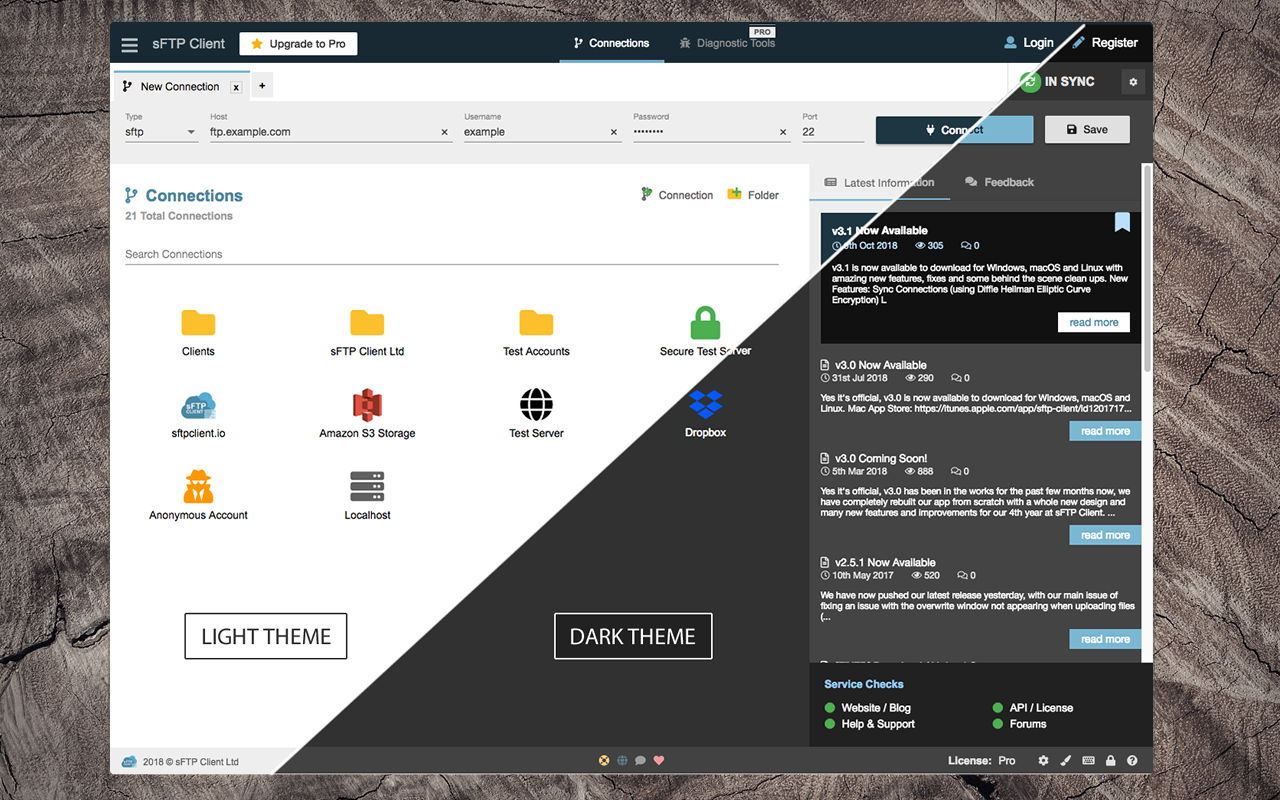
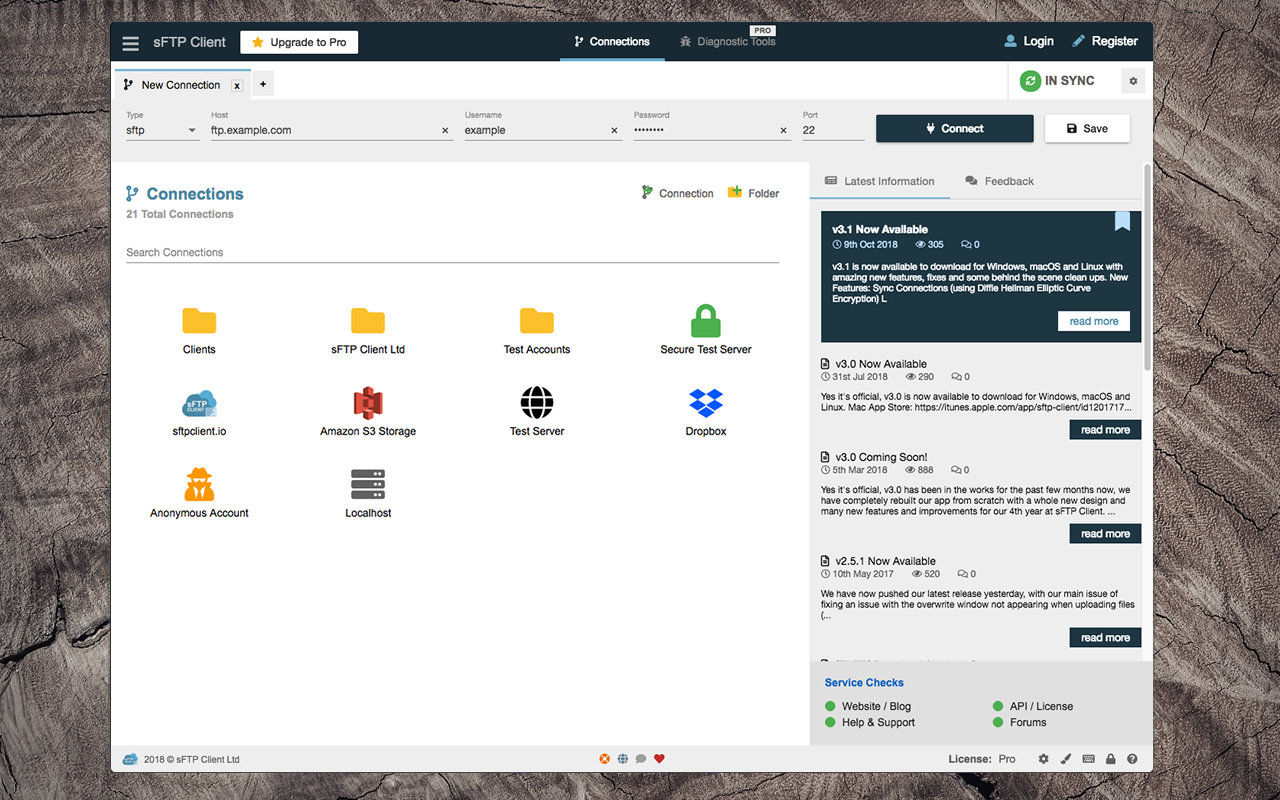
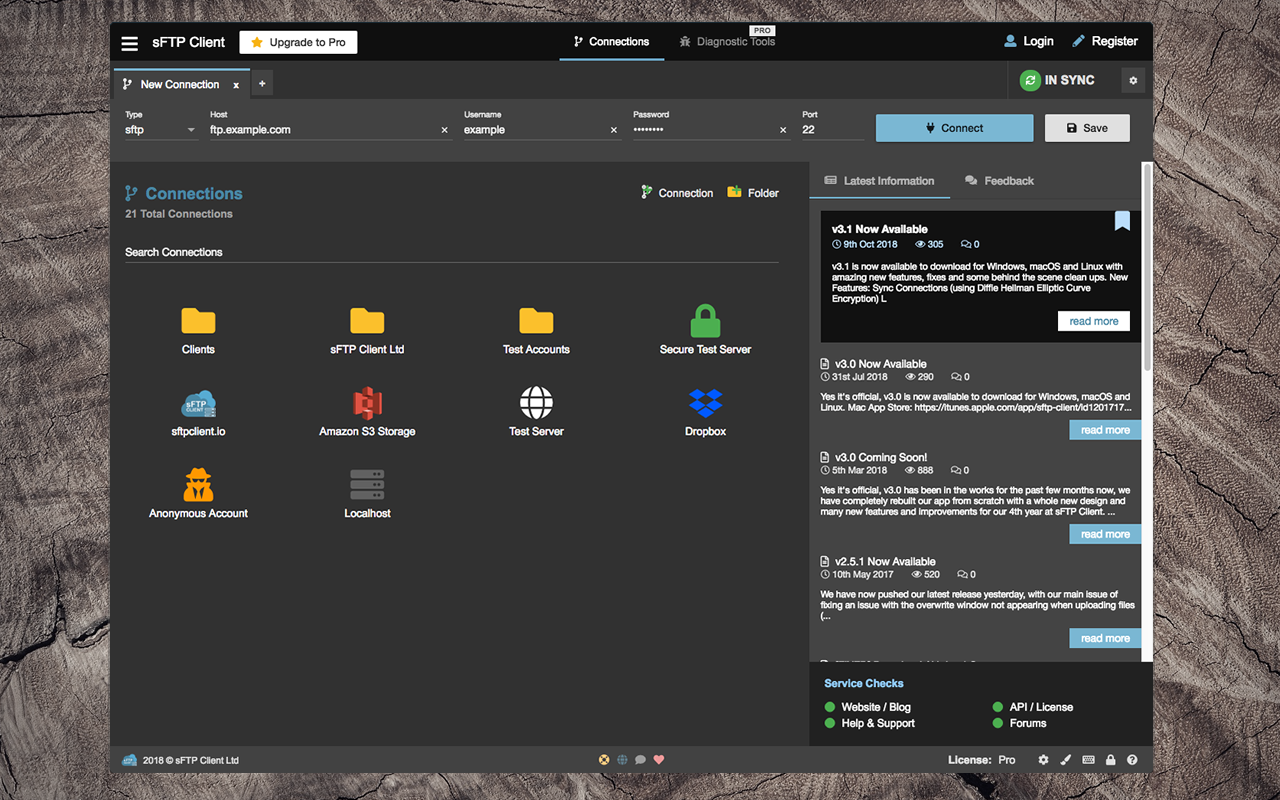
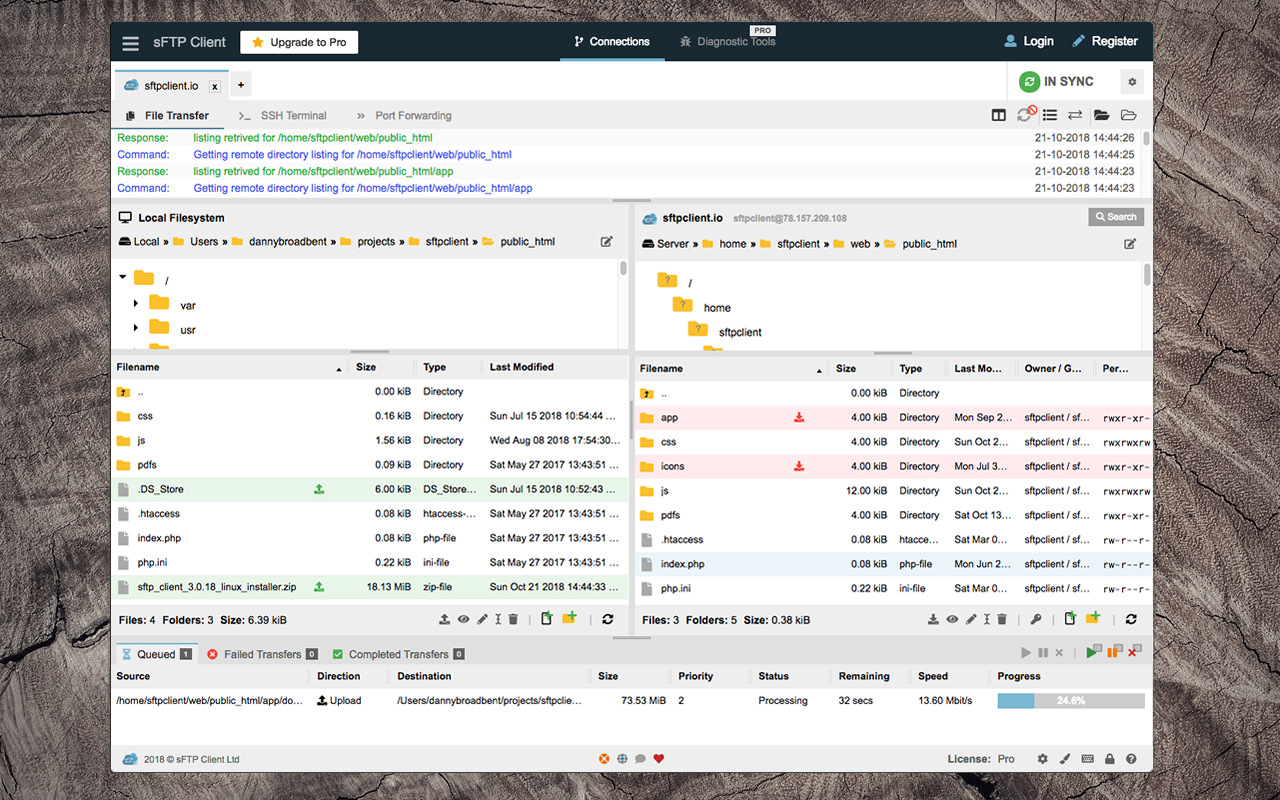
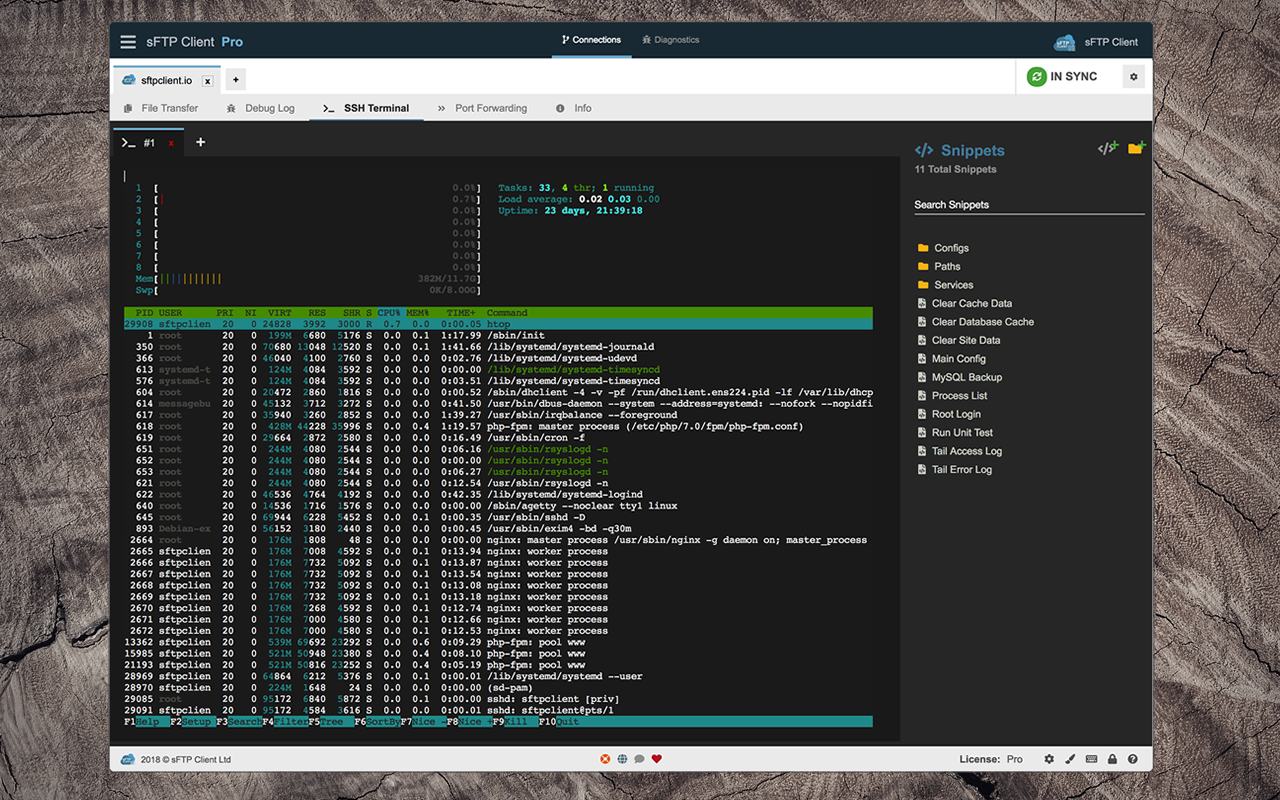
sFTP Client is a full-featured FTP/SFTP/FTPIS/FTPES/SSH client with a modern and easy to use interface.
sFTP Client uses the most modern libraries and uses the latest technologies (after-all who would ever like an out-dated / old fashioned app), thats why we use the latest frameworks and latest modern designs.
Features:
----------
Services:
----------
Cloud Services:
----------------
Pro Subscription Features: (paid monthly or yearly, see pricing further down)
--------------
Pro Team Subscription Features: (paid monthly or yearly, see pricing further down)
--------------------------------
sFTP Client Pro is available as shown below: (Pro doesn't have cloud services or device syncing)
sFTP Client Cloud is available as shown below:
sFTP Client Team is available as shown below:
Order a license here: https://sftpapp.com/client/pricing
Volume discounting is available at checkout when order 3 or more licenses, more information about our volume discounts can be found here: https://help.broadbent.group/sftp-client/installation/pricing/volume-discounts.
Questions? Found a Bug? Get In Touch!
help@sftpapp.com https://help.sftpapp.com
Privacy Policy: https://sftpapp.com/legal/privacy
Terms of Use: https://sftpapp.com/legal/terms
End User License Agreement (EULA): https://sftpapp.com/legal/eula
sFTP Client uses the most modern libraries and uses the latest technologies (after-all who would ever like an out-dated / old fashioned app), thats why we use the latest frameworks and latest modern designs.
Features:
----------
- Sync Connections (license required)
- Cloud Services (see below - license required)
- Workspaces / Teams (subscription license required)
- Standard FTP, FTP over TLS/SSL (FTPIS / FTPES) and SFTP.
- SSH Terminal (license required)
- Debug Connections
- Compare Directories
- Preserve Connection Logs
- Connections Notes
- Auto Updating Local Directory List
- Directory Status Bar (count files, folders and size - includes quick action buttons)
- Multiple & Large File Transfers (with speed and remaining time)
- Key File Login for SFTP / SSH Connections
- Drag & Drop Support (Uploads / Downloads)
- File Editor (Local & Remote)
- Keep-alive Connections
- Synchronised Directory Browsing
- Themes (Light / Dark + 6 colours, purple, pink, red, green, orange and blue)
- Multiple Connections
- Diagnostic Tools (license required)
- Port Forwarding (license required)
- Quick Connect
- Browse Local & Remote Folders by Path
- Rename & Delete Files (Local / Remote)
- Create New File / Directory (Local / Remote)
- Refresh Local and Remote Lists
- Sort and Resize Columns
- Multi-Select Files & Folders
- Editor Options: Tabbed Files, Customisation
- Transfer Queue (Queued files and folders, failed files and folders, completed files and folders)
- Connect to Remote (External) & Local (Internal) FTP / SFTP / SSH servers.
- Change File / Folder Permissions (By Checkbox or Value: e.g. 777)
- Search Remote Files / Folders
- SSH Snippets (license required)
- Connection Tags
- Debug Connections
- Schedules
Services:
----------
- FTP (Standard File Transfer)
- FTPS (Implicit / Explicit File Transfer / File Transfer over SSL)
- SFTP (Secure File Transfer)
- SSH Terminal
- Port Forwarding
- WebDAV
- Telnet Terminal
- Serial Port (COM/TTY)
Cloud Services:
----------------
- Amazon S3 Storage
- Dropbox
- Backblaze B2
- Google Cloud Storage
- Microsoft Azure Storage
- Google Drive
- Microsoft OneDrive
Pro Subscription Features: (paid monthly or yearly, see pricing further down)
--------------
- FTP / SFTP / FTPS Connections
- SSH Terminal / Snippets
- Diagnostic Tools
- Port Forwarding
- Personal Workspaces
- Sync Data (all devices)
- Powerful Built-in Editor
Pro Team Subscription Features: (paid monthly or yearly, see pricing further down)
--------------------------------
- All Lifetime Pro Features (listed above)
- Cloud Services
- Server to Server Transfers
- Team Workspaces / Sharing
- Team Management / Syncing
- Team Connections
- Team Snippets
sFTP Client Pro is available as shown below: (Pro doesn't have cloud services or device syncing)
- sFTP Client Pro @ $89.99 per user (one-time payment)
sFTP Client Cloud is available as shown below:
- sFTP Client Pro @ $59.99 per year per user
- sFTP Client Pro @ $5.99 per month per user
sFTP Client Team is available as shown below:
- sFTP Client Team @ $79.99 per year per user
- sFTP Client Team @ $7.99 per month per user
Order a license here: https://sftpapp.com/client/pricing
Volume discounting is available at checkout when order 3 or more licenses, more information about our volume discounts can be found here: https://help.broadbent.group/sftp-client/installation/pricing/volume-discounts.
Questions? Found a Bug? Get In Touch!
help@sftpapp.com https://help.sftpapp.com
Privacy Policy: https://sftpapp.com/legal/privacy
Terms of Use: https://sftpapp.com/legal/terms
End User License Agreement (EULA): https://sftpapp.com/legal/eula
Update History
3.5.3 (103) → 3.5.7 (104)28 Sept 2026, 15:45 UTC
3.5.1 (99) → 3.5.3 (103)23 Sept 2026, 18:15 UTC
3.5.1 (99)13 Dec 2025, 09:47 UTC
31 Jul 2018, 21:55 UTC
28 Sept 2026, 15:34 UTC
13 Dec 2025, 09:47 UTC