
0.0.1184.6 MB
GPL-3.0+
strict
core18
Wireless@SGx Linux Unofficial GUI Interface
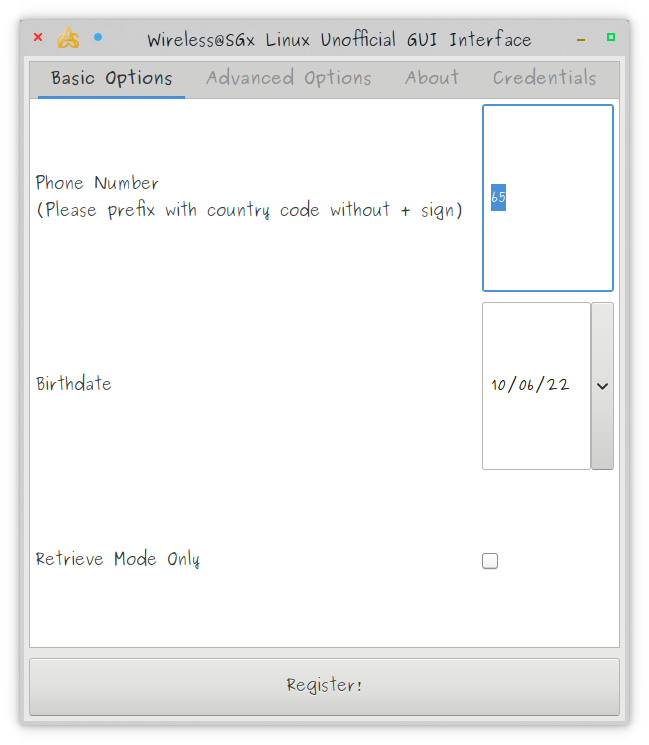

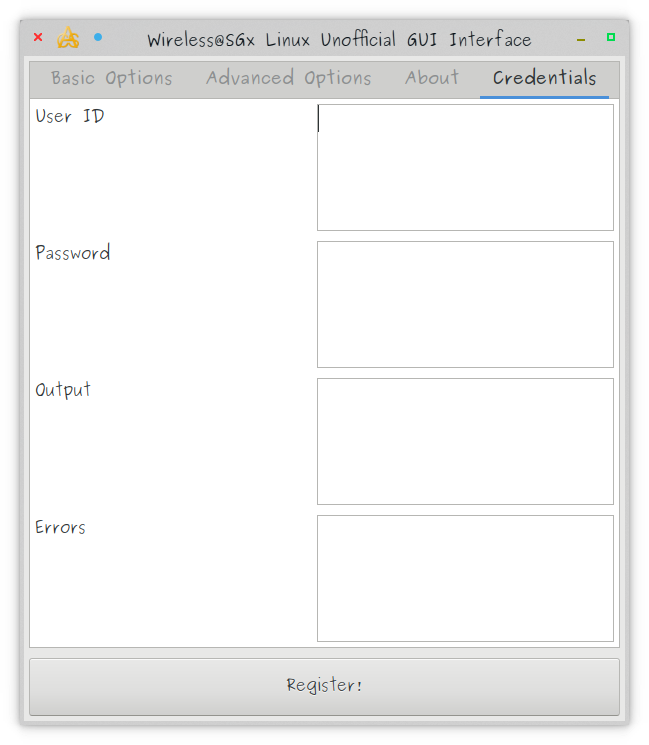
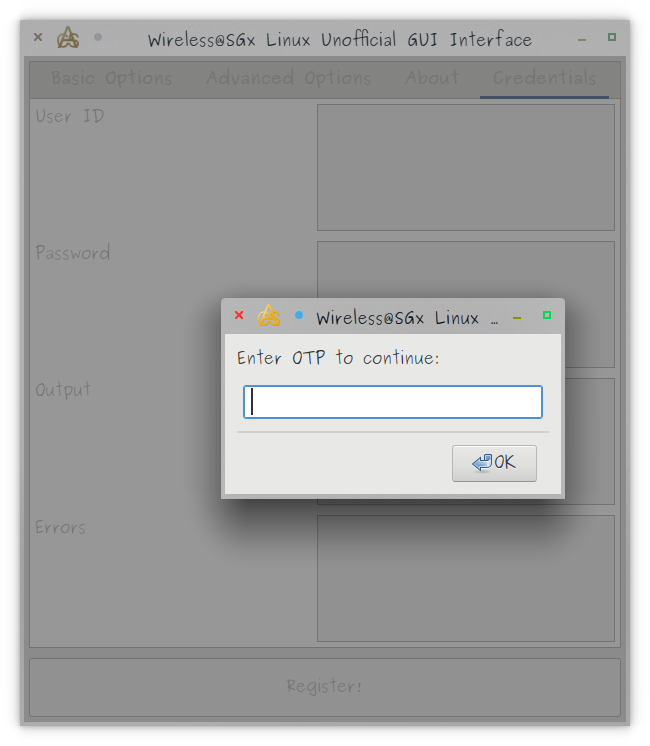

An unofficial GUI frontend for the wasg-register.py script. A community service project for our fellow Linux using Singaporeans by Custom Automated Systems ® Pte Ltd. https://customautosys.com/wasg-register-gui
To use:
1. Enter your phone number (you must keep the prefix of 65 in front)
2. Enter your date of birth in mm/dd/yy format (ya, I know we normally use dd/mm/yyyy but this is due to WxWidgets, not my fault hor)
3. Click Register!
4. Wait for the prompt to enter the SMS OTP (it can take quite a while even after you've got the SMS)
5. Enter the SMS OTP and click OK
6. Connect to the Wireless@SGx WiFi network in your distro, copying and pasting the User ID and Password as provided by the app
7. Any other output and/or error messages will be displayed in the corresponding boxes in the Credentials tab.
For documentation on the advanced options, please check out https://github.com/zerotypic/wasg-register (not done by me).
For any bug reports, please submit them on the issues page at https://github.com/customautosys/wasg-register-gui/issues
Have fun!
To use:
1. Enter your phone number (you must keep the prefix of 65 in front)
2. Enter your date of birth in mm/dd/yy format (ya, I know we normally use dd/mm/yyyy but this is due to WxWidgets, not my fault hor)
3. Click Register!
4. Wait for the prompt to enter the SMS OTP (it can take quite a while even after you've got the SMS)
5. Enter the SMS OTP and click OK
6. Connect to the Wireless@SGx WiFi network in your distro, copying and pasting the User ID and Password as provided by the app
7. Any other output and/or error messages will be displayed in the corresponding boxes in the Credentials tab.
For documentation on the advanced options, please check out https://github.com/zerotypic/wasg-register (not done by me).
For any bug reports, please submit them on the issues page at https://github.com/customautosys/wasg-register-gui/issues
Have fun!
Update History
0.0.1 (1)13 Dec 2025, 09:47 UTC
5 Oct 2022, 16:00 UTC
5 Oct 2022, 15:59 UTC
13 Dec 2025, 09:47 UTC