
v11.21.11040111.5 MB
MIT
strict
core24
Full-featured Z-Wave Control Panel and MQTT Gateway.



Zwave JS UI: Fully configurable Zwave to MQTT Gateway and Control Panel.
IMPORTANT: Read about the different release-cycles in the end section «releases in
If you're happy with this snap package, please consider to make a donation
Full-featured Z-Wave Control Panel and MQTT Gateway compatible with all known 500 and
700 series Z-Wave controller hardware adapters, Z-Wave JS runs on almost anything with
a little bit of computing power and a serial port.
Main features
- Control Panel UI: Directly control your nodes and their values from the UI, including:
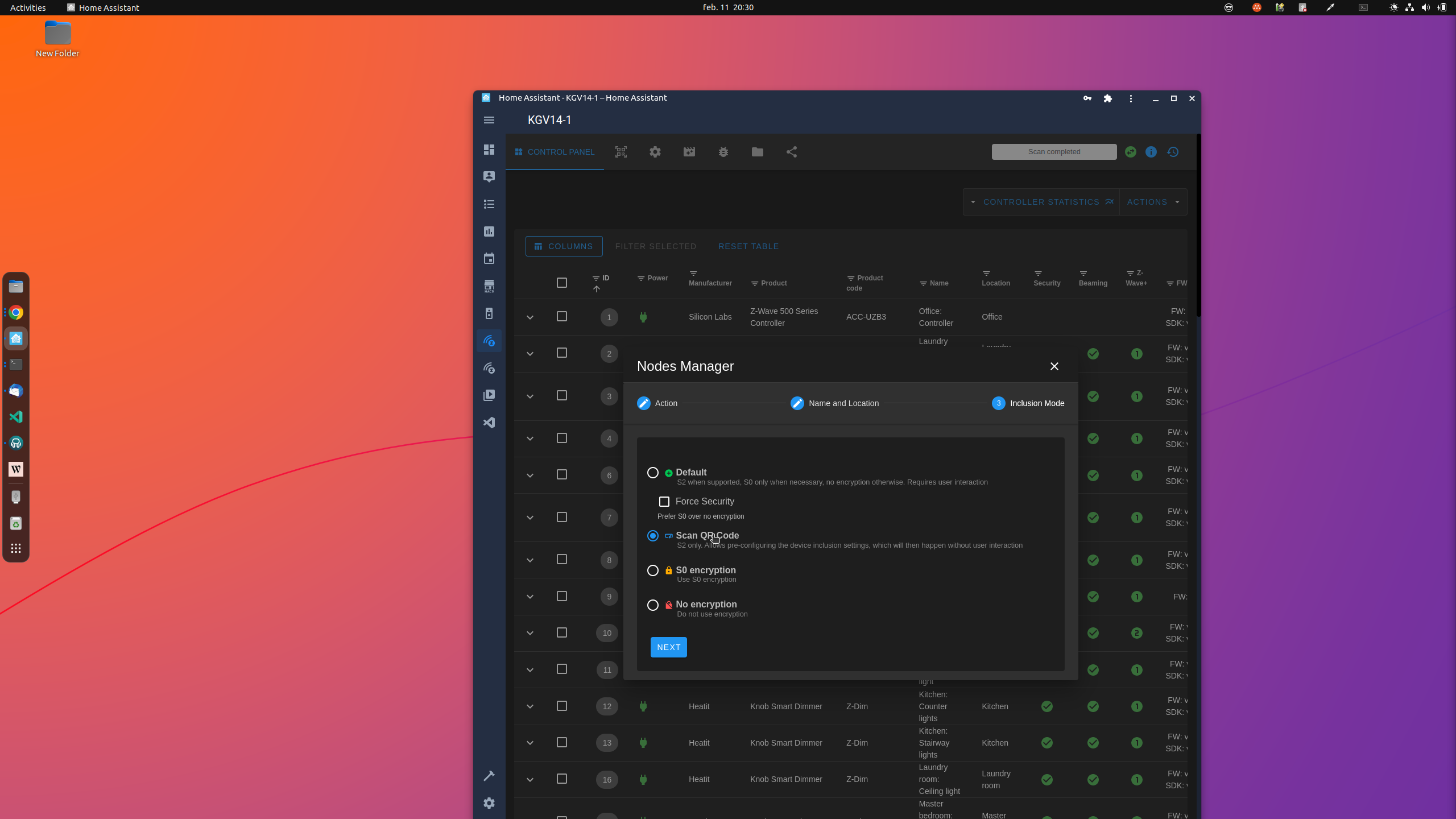
- Nodes management: Add, remove, and configure all nodes in your Z-Wave network
- Firmware updates: Update device firmware using manufacturer-supplied firmware files
- Groups associations: Add, edit, and remove direct node associations
- Z-Wave JS Exposed: Provides full-access to Z-Wave JS's APIs
- Full-Featured Z-Wave to MQTT Gateway: Expose Z-Wave devices to an MQTT broker in a
fully configurable manner
- Secured: Supports HTTPS and user authentication
- Scene Management: Create scenes and trigger them by using MQTT apis (with timeout
support)
- Debug Logs in the UI: See debug logs directly from the UI
- Access Store Files in the UI: Access the files are stored in the persistent store
folder directly from the UI
- Network Graph: Provides a beautiful map showing how nodes are communicating with the
controller
- Supports the Official Home Assistant Integration: Can act as the backend driver for
the official Home Assistant integration, using the same driver and socket server as
the official addon
- Supports Home Assistant Discovery via MQTT: In lieu of the official integation, can
be used to expose Z-Wave devices to Home Assistant via MQTT discovery.
- Supported by Domoticz (beta 2021.1): Using MQTT Autodiscovery.
- Automatic/Scheduled backups: Scheduled backup of NVM and store directory. It's also
possible to enable automatic backups of NVM before every node inclusion/exclusion/
replace, this ensures to create a safe restore point before any operation that can
cause a network corruption.
Additions with the snap
- Command to read the log from the terminal independent of if you're logging to file
or not
- Plugs for the
the «store-folder»
Auto-connections
-
-
Note: None of these connections are necessary to run the app, so you can disconnect
them as you like, but please note that it might change the experience within the software.
Issues
If your issue is with
- the UI/front-end, report them at https://github.com/zwave-js/zwave-js-ui/issues
- the driver, report them at https://github.com/zwave-js/node-zwave-js/issues
Make sure you have set the log level to
logging to file, and attach it with your issue.
If you're not sure, just report it within any of the above, but attach logs for both
packages. It will be transferred if you reported it within the wrong tracker.
Issues with the snap package
Report it with https://github.com/giaever-online-iot/zwave-js-ui/issues
Releases in
This is how we use the different of channels in the
to give the user a chance to choose how often they want updates.
-
only update once per major release and most likely by the end of
that release cycle. E.g when there is a new version
version
-
release. E.g when version
version
releases.
-
IMPORTANT: Read about the different release-cycles in the end section «releases in
latest».If you're happy with this snap package, please consider to make a donation
Full-featured Z-Wave Control Panel and MQTT Gateway compatible with all known 500 and
700 series Z-Wave controller hardware adapters, Z-Wave JS runs on almost anything with
a little bit of computing power and a serial port.
Main features
- Control Panel UI: Directly control your nodes and their values from the UI, including:
- Nodes management: Add, remove, and configure all nodes in your Z-Wave network
- Firmware updates: Update device firmware using manufacturer-supplied firmware files
- Groups associations: Add, edit, and remove direct node associations
- Z-Wave JS Exposed: Provides full-access to Z-Wave JS's APIs
- Full-Featured Z-Wave to MQTT Gateway: Expose Z-Wave devices to an MQTT broker in a
fully configurable manner
- Secured: Supports HTTPS and user authentication
- Scene Management: Create scenes and trigger them by using MQTT apis (with timeout
support)
- Debug Logs in the UI: See debug logs directly from the UI
- Access Store Files in the UI: Access the files are stored in the persistent store
folder directly from the UI
- Network Graph: Provides a beautiful map showing how nodes are communicating with the
controller
- Supports the Official Home Assistant Integration: Can act as the backend driver for
the official Home Assistant integration, using the same driver and socket server as
the official addon
- Supports Home Assistant Discovery via MQTT: In lieu of the official integation, can
be used to expose Z-Wave devices to Home Assistant via MQTT discovery.
- Supported by Domoticz (beta 2021.1): Using MQTT Autodiscovery.
- Automatic/Scheduled backups: Scheduled backup of NVM and store directory. It's also
possible to enable automatic backups of NVM before every node inclusion/exclusion/
replace, this ensures to create a safe restore point before any operation that can
cause a network corruption.
Additions with the snap
- Command to read the log from the terminal independent of if you're logging to file
or not
- Plugs for the
code-server snap, if you want a full-fledged editor experience for the «store-folder»
Auto-connections
-
raw-usb: To access USB devices, such as Z-wave controller dongles-
hardware-observe: To observe your system for devices, to easily find them in the UINote: None of these connections are necessary to run the app, so you can disconnect
them as you like, but please note that it might change the experience within the software.
Issues
If your issue is with
- the UI/front-end, report them at https://github.com/zwave-js/zwave-js-ui/issues
- the driver, report them at https://github.com/zwave-js/node-zwave-js/issues
Make sure you have set the log level to
DEBUG for the respective unit and that you arelogging to file, and attach it with your issue.
If you're not sure, just report it within any of the above, but attach logs for both
packages. It will be transferred if you reported it within the wrong tracker.
Issues with the snap package
Report it with https://github.com/giaever-online-iot/zwave-js-ui/issues
Releases in
latestThis is how we use the different of channels in the
latest track, to give the user a chance to choose how often they want updates.
-
latest/stable: Latest version of the last *major* release. Willonly update once per major release and most likely by the end of
that release cycle. E.g when there is a new version
b.a.a thenversion
a.b.c will be will be available.-
latest/candidate: Latest minor or patch release of latest majorrelease. E.g when version
a.b.c changes to a.b.d or a.c.a, thenversion
a.b.d or a.c.a will be available. Consider this rollingreleases.
-
latest/edge and latest/edge/dev: Every build (including tests) might be pushed to these channels.Update History
v11.21.1 1030 → 104021 Oct 2026, 14:30 UTC
v11.21.1 1023 → 103014 Jul 2026, 23:15 UTC
v11.21.1 1016 → 102313 Jul 2026, 00:00 UTC
v11.21.1 1011 → 101612 Jul 2026, 21:30 UTC
v11.21.1 1006 → 101112 Jul 2026, 19:30 UTC
v11.21.1 991 → 100629 Jun 2026, 01:30 UTC
v11.21.1 976 → 99127 Jun 2026, 16:15 UTC
v11.21.1 973 → 97627 Jun 2026, 13:30 UTC
v11.20.0 (958) → v11.21.1 (973)27 Jun 2026, 12:30 UTC
v11.20.0 948 → 95824 Jun 2026, 23:30 UTC
v11.20.0 921 → 94822 Jun 2026, 20:30 UTC
v11.19.1 (850) → v11.20.0 (921)22 Jun 2026, 16:00 UTC
v11.8.2 (829) → v11.19.1 (850)7 Jun 2026, 23:15 UTC
v11.8.2 (829)13 Dec 2025, 09:47 UTC
16 Sept 2022, 16:19 UTC
21 Oct 2026, 14:05 UTC
13 Dec 2025, 09:47 UTC