
1.0.7-1161.4 MB
GPL-3.0+
strict
core24
Photo editor for Linux
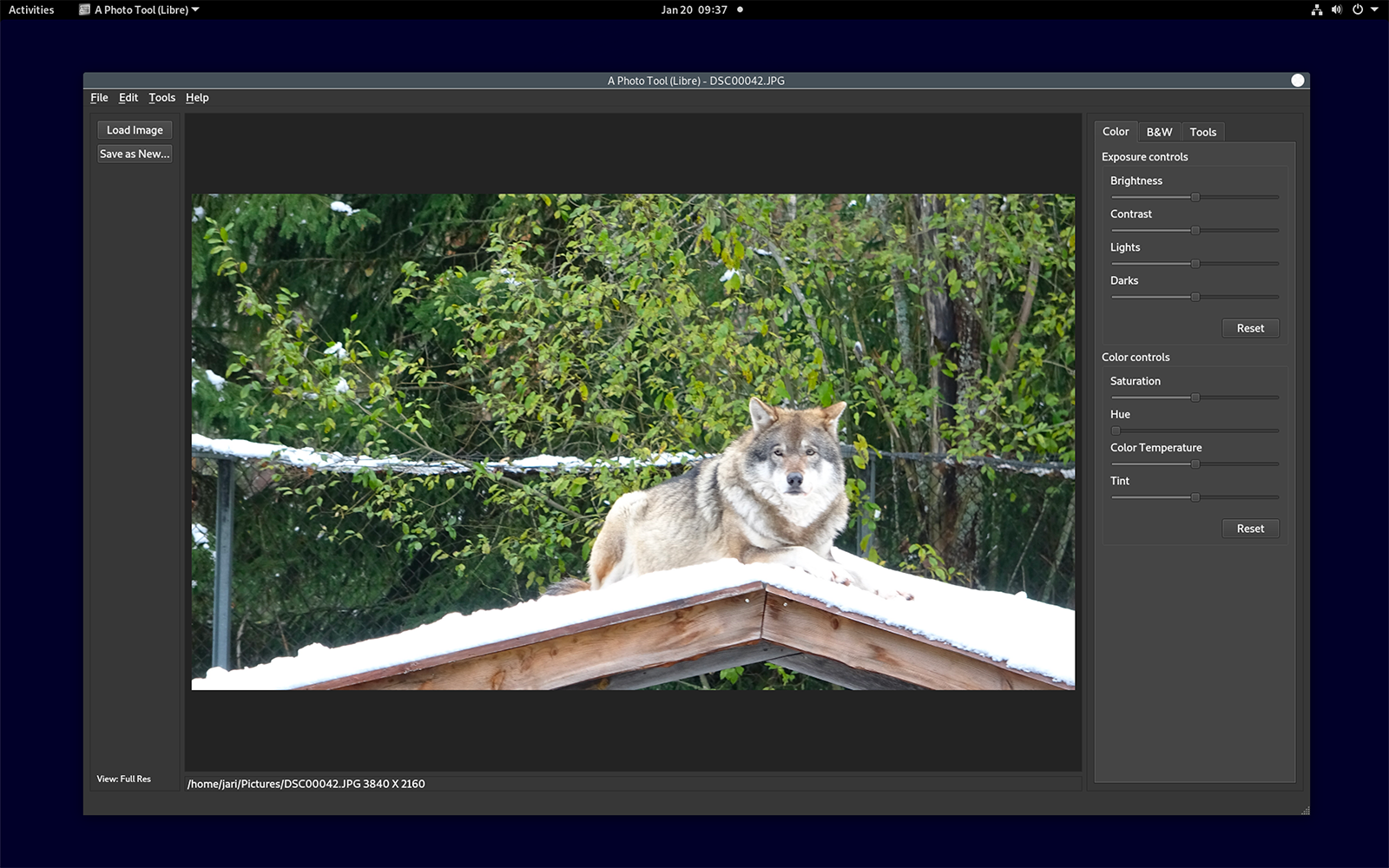


Easy to use photo editor.
Tools to change exposure, contrast, white balance and more. Crop, rotate and resize images. Turn color photos into black and white with options to set how color is turned into grayscale.
There is print command available at the File menu. To print enable print documents permission for A Photo Tool (Libre) on Software Store. If printing is only showing option to create a PDF and does not show your installed printer then enable printing in app store apps permissions or try to enter command
See tutorial video https://youtu.be/IaLD64QjRSg for instructions how to enable printing photos.
Editor supports JPEG file format. Additionally PNG and some other image formats can be edited.
Note: First install may take some time as Snap loads additional required components for shared use in your system.
Tools to change exposure, contrast, white balance and more. Crop, rotate and resize images. Turn color photos into black and white with options to set how color is turned into grayscale.
There is print command available at the File menu. To print enable print documents permission for A Photo Tool (Libre) on Software Store. If printing is only showing option to create a PDF and does not show your installed printer then enable printing in app store apps permissions or try to enter command
sudo snap connect aphototoollibre:cups-control :cups-controlSee tutorial video https://youtu.be/IaLD64QjRSg for instructions how to enable printing photos.
Editor supports JPEG file format. Additionally PNG and some other image formats can be edited.
Note: First install may take some time as Snap loads additional required components for shared use in your system.
Update History
1.0.7-1 (16)13 Dec 2025, 09:47 UTC
14 Mar 2022, 12:08 UTC
24 Sept 2025, 05:45 UTC
13 Dec 2025, 09:47 UTC