
0.2.46396.7 MB
GPL-3.0
strict
core24
Lightweight cross-platform SQLite database explorer
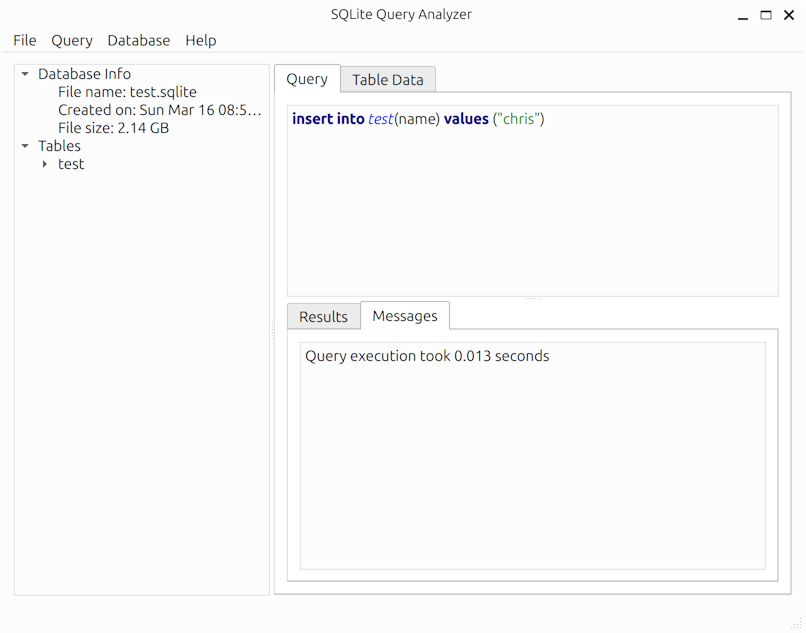


SQLite Query Analyzer is a lightweight and efficient desktop utility designed to simplify the process of managing SQLite databases.
It provides an intuitive interface for executing queries and direct table editing, making database operations seamless and straightforward.
Features
CLI Usage
SQLite Query Analyzer can be used as a command-line tool for automating database operations without the GUI. It supports several options for exporting data, executing SQL scripts, and more.
Help Text
Usage Examples
*Opening a database in GUI mode:*
*Exporting data to CSV files:*
*Executing SQL scripts:*
CLI Features
It provides an intuitive interface for executing queries and direct table editing, making database operations seamless and straightforward.
Features
- Cross platform - Runs natively on Windows, macOS, and Linux
- Easy-to-use interface for executing SQL queries
- Fast table data editing
- Persists application state and reloads last session on startup
- Export database schema as CREATE TABLE statements
- Export data as an SQL script containing INSERT statements or as CSV files
- Desktop color theme awareness with automatic switching between dark/light themes
- Command line interface for automation and scripting
CLI Usage
SQLite Query Analyzer can be used as a command-line tool for automating database operations without the GUI. It supports several options for exporting data, executing SQL scripts, and more.
Help Text
$ sqlitequery --help Usage: /snap/sqlitequery/3/bin/SQLiteQueryAnalyzer [options] database A fast and lightweight cross-platform command line and GUI tool for querying and manipulating SQLite databases Options: -h, --help Displays help on commandline options. --help-all Displays help, including generic Qt options. -v, --version Displays version information. -p, --progress Show progress during copy -e, --export-csv Export data to CSV. -d, --target-directory Target directory for export. -r, --run-sql Execute SQL file. Arguments: database Database file to open.Usage Examples
*Opening a database in GUI mode:*
sqlitequery /path/to/database.db*Exporting data to CSV files:*
# Export all tables to CSV files in the current directory sqlitequery --export-csv /path/to/database.db # Export with progress indicator sqlitequery --export-csv --progress /path/to/database.db # Export to a specific directory sqlitequery --export-csv --target-directory /path/to/export/folder /path/to/database.db*Executing SQL scripts:*
# Execute a SQL script file against a database sqlitequery --run-sql /path/to/script.sql /path/to/database.dbCLI Features
- Export to CSV: Export all database tables to individual CSV files
- Execute SQL Scripts: Run SQL scripts from files against a database
- Progress Reporting: Show progress indicators for long-running operations
- Flexible Output: Specify custom directories for exported files
Update History
0.2.46 (3)13 Dec 2025, 09:47 UTC
25 Jun 2025, 23:03 UTC
26 Jun 2025, 17:32 UTC
13 Dec 2025, 09:47 UTC