v1.39.025561.4 MB
MIT
strict
core20
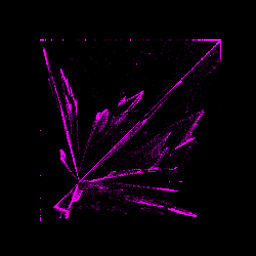
void* casts files onto 2D/3D colored spaces for your mind blowing needs
Usage:
voidstar [OPTIONS] FILE...
# Press H and L to switch between files
# Use A W S D Z X and your mouse to move in the 3D space
# Press F for full screen
# Use the arrows to slide and enlarge the sliding window
# Press M to slide the window to the end
# Use > to slide faster, < to slow down
# SPACE to toggle spinning the shape
# Press O to reset the camera position
# Use B to change background color
# ESC to quit
voidstar [OPTIONS] FILE...
-l, --list list backends -u, --ui choose ui mode -a, --algorithm algorithm to apply -x, --width window width [default: 800] -y, --height window height [default: 600] -f, --fullscreen start on fullscreen --keep-chrome show title bar & allow resizing --exit-at-fin terminate when show's over -w, --sliding length of sliding window -s, --slide-step amount of points slid -m, --move move sliding window forward -n, --no-spin don't spin shape on itself -b, --begin begin offset for the range -e, --end end offset for the range (0: till end of file) -h, --help this help# Press H and L to switch between files
# Use A W S D Z X and your mouse to move in the 3D space
# Press F for full screen
# Use the arrows to slide and enlarge the sliding window
# Press M to slide the window to the end
# Use > to slide faster, < to slow down
# SPACE to toggle spinning the shape
# Press O to reset the camera position
# Use B to change background color
# ESC to quit
Update History
v1.39.0 (255)13 Dec 2025, 09:47 UTC
28 May 2018, 13:57 UTC
23 Feb 2023, 17:06 UTC
13 Dec 2025, 09:47 UTC