

32.2.01324408.6 MB
GPL-2.0
strict
core24
Free and open source software for live streaming and screen recording
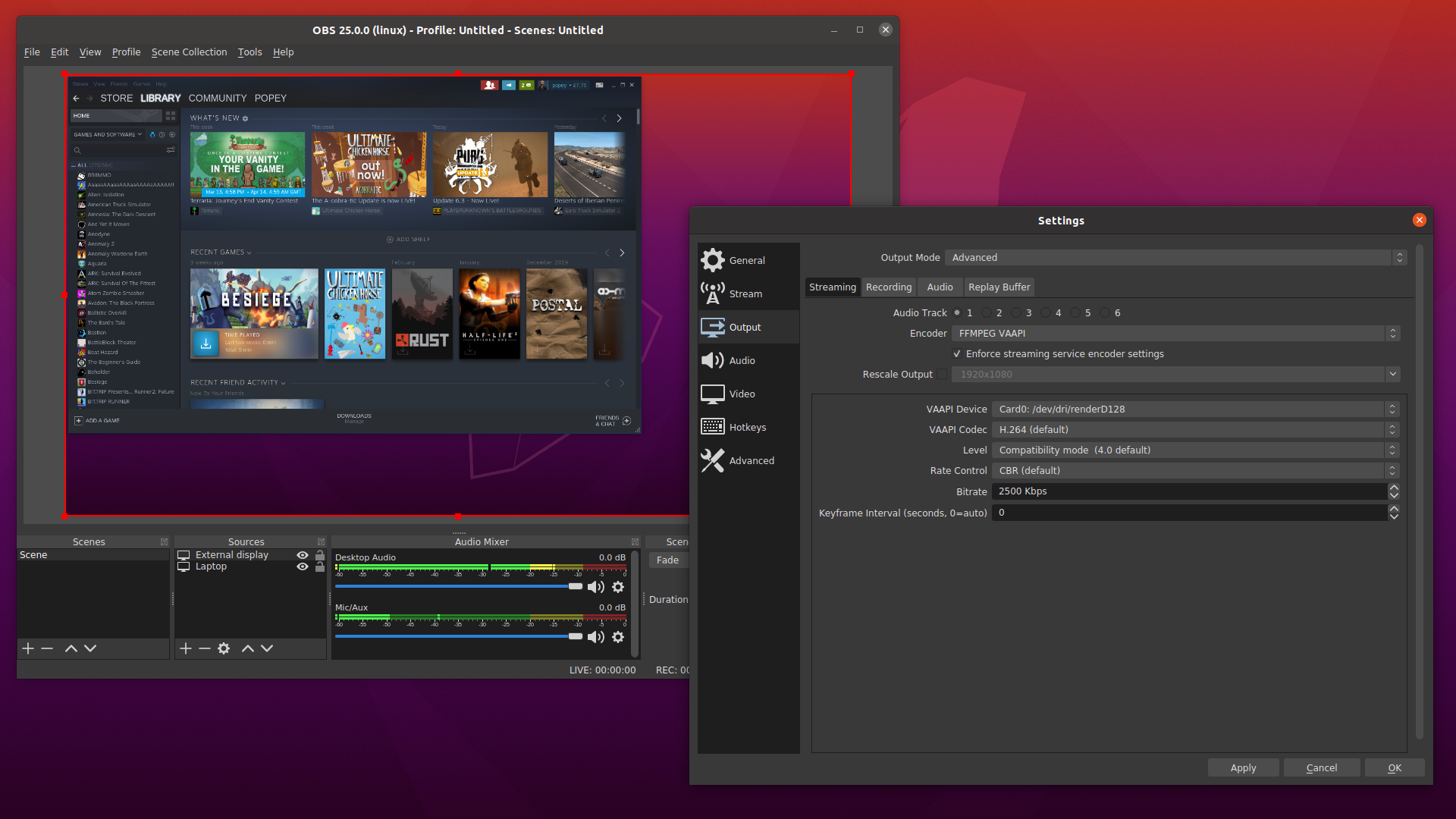
OBS Studio is software designed for capturing, compositing, encoding, recording, and streaming video content, efficiently.
NOTE: This is a community-supported modified build of OBS Studio; please file issues on the Snapcrafters GitHub: https://github.com/snapcrafters/obs-studio/issues
Batteries included
The snap of OBS studio comes pre-loaded with some extra features:
* Supports nvenc (NVIDIA) and VA-API (AMD & Intel) accelerated video encoding.
* Advanced Scene Switcher plugin; an automated scene switcher
* Browser plugin; CEF-based OBS Studio browser plugin
* Directory Watch Media plugin; filter you can add to a media source to load the oldest or newest file in a directory.
* Dynamic Delay plugin; filter for dynamic delaying a video source.
* Freeze Filter plugin; freeze a source using a filter.
* GStreamer plugins; feed GStreamer launch pipelines into OBS Studio and use GStreamer encoder elements.
* Move Transition plugin; move sources to a new position during a scene transition.
* NDI plugin; Network A/V via NewTek's NDI.
* RGB Levels plugin; simple filter to adjust RGB levels.
* Source Switcher plugin; to switch between a list of sources.
* StreamFX plugin; collection modern effects filters and transitions.
* Text Pango plugin; Provides a text source rendered using Pango with multi-language support, emoji support, vertical rendering and RTL support.
* Transition Matrix plugin; customize Any -> One or One -> One scene transitions.
* Waveform plugin; audio visualization using fftw.
* Websockets plugin; remote-control OBS Studio through WebSockets.
Connecting Interfaces
For the best experience, you'll want to connect the following interfaces.
NDI
If you want to use the NDI plugin you'll need to connect the Avahi Control interface.
Virtual Camera
Starting with OBS 26.1.0, Virtual Camera support is integrated. Here's how to install and configure
NOTE! Using
Removable Storage
To access content on external storage, connect to the removable-media plug:
3rd Party plugins
To install pre-compiled plugins, download and extract the plugin to
This is how the Input Overlay plugin looks when correctly installed:
If you want to use the Input Overlay plugin, you'll also need to connect the joystick interface:
NOTE: This is a community-supported modified build of OBS Studio; please file issues on the Snapcrafters GitHub: https://github.com/snapcrafters/obs-studio/issues
NOTE: This is a community-supported modified build of OBS Studio; please file issues on the Snapcrafters GitHub: https://github.com/snapcrafters/obs-studio/issues
Batteries included
The snap of OBS studio comes pre-loaded with some extra features:
* Supports nvenc (NVIDIA) and VA-API (AMD & Intel) accelerated video encoding.
* Advanced Scene Switcher plugin; an automated scene switcher
* Browser plugin; CEF-based OBS Studio browser plugin
* Directory Watch Media plugin; filter you can add to a media source to load the oldest or newest file in a directory.
* Dynamic Delay plugin; filter for dynamic delaying a video source.
* Freeze Filter plugin; freeze a source using a filter.
* GStreamer plugins; feed GStreamer launch pipelines into OBS Studio and use GStreamer encoder elements.
* Move Transition plugin; move sources to a new position during a scene transition.
* NDI plugin; Network A/V via NewTek's NDI.
* RGB Levels plugin; simple filter to adjust RGB levels.
* Source Switcher plugin; to switch between a list of sources.
* StreamFX plugin; collection modern effects filters and transitions.
* Text Pango plugin; Provides a text source rendered using Pango with multi-language support, emoji support, vertical rendering and RTL support.
* Transition Matrix plugin; customize Any -> One or One -> One scene transitions.
* Waveform plugin; audio visualization using fftw.
* Websockets plugin; remote-control OBS Studio through WebSockets.
Connecting Interfaces
For the best experience, you'll want to connect the following interfaces.
sudo snap connect obs-studio:alsasudo snap connect obs-studio:audio-recordsudo snap connect obs-studio:avahi-controlsudo snap connect obs-studio:camerasudo snap connect obs-studio:jack1sudo snap connect obs-studio:kernel-module-observeNDI
If you want to use the NDI plugin you'll need to connect the Avahi Control interface.
snap connect obs-studio:avahi-controlVirtual Camera
Starting with OBS 26.1.0, Virtual Camera support is integrated. Here's how to install and configure
v4l2loopback:sudo snap connect obs-studio:kernel-module-observesudo apt -y install v4l2loopback-dkms v4l2loopback-utilsecho "options v4l2loopback devices=1 videonr=13 cardlabel='OBS Virtual Camera' exclusivecaps=1" | sudo tee /etc/modprobe.d/v4l2loopback.confecho "v4l2loopback" | sudo tee /etc/modules-load.d/v4l2loopback.confsudo modprobe -r v4l2loopbacksudo modprobe v4l2loopback devices=1 videonr=13 cardlabel='OBS Virtual Camera' exclusivecaps=1NOTE! Using
video_nr greater than 64 will not work.Removable Storage
To access content on external storage, connect to the removable-media plug:
snap connect obs-studio:removable-media3rd Party plugins
To install pre-compiled plugins, download and extract the plugin to
~/snap/obs-studio/current/.config/obs-studio/plugins/.This is how the Input Overlay plugin looks when correctly installed:
/home/username/snap/obs-studio/current/.config/obs-studio/plugins/└── input-overlay ├── bin │ └── 64bit │ └── input-overlay.so └── data └── locale ├── de-DE.ini ├── en-US.ini └── ru-RU.iniIf you want to use the Input Overlay plugin, you'll also need to connect the joystick interface:
snap connect obs-studio:joystickNOTE: This is a community-supported modified build of OBS Studio; please file issues on the Snapcrafters GitHub: https://github.com/snapcrafters/obs-studio/issues
Update History
32.2.0 1323 → 132415 Aug 2026, 15:00 UTC
32.2.0 1322 → 132315 Aug 2026, 14:30 UTC
32.1.2 (1321) → 32.2.0 (1322)23 Jul 2026, 16:01 UTC
32.1.2 1320 → 132110 Jun 2026, 11:45 UTC
32.0.2 (1316) → 32.1.2 (1320)27 May 2026, 07:45 UTC
32.0.2 (1316)13 Dec 2025, 09:47 UTC
20 Feb 2018, 15:14 UTC
15 Aug 2026, 14:32 UTC
13 Dec 2025, 09:47 UTC